01 / Solutions engineering
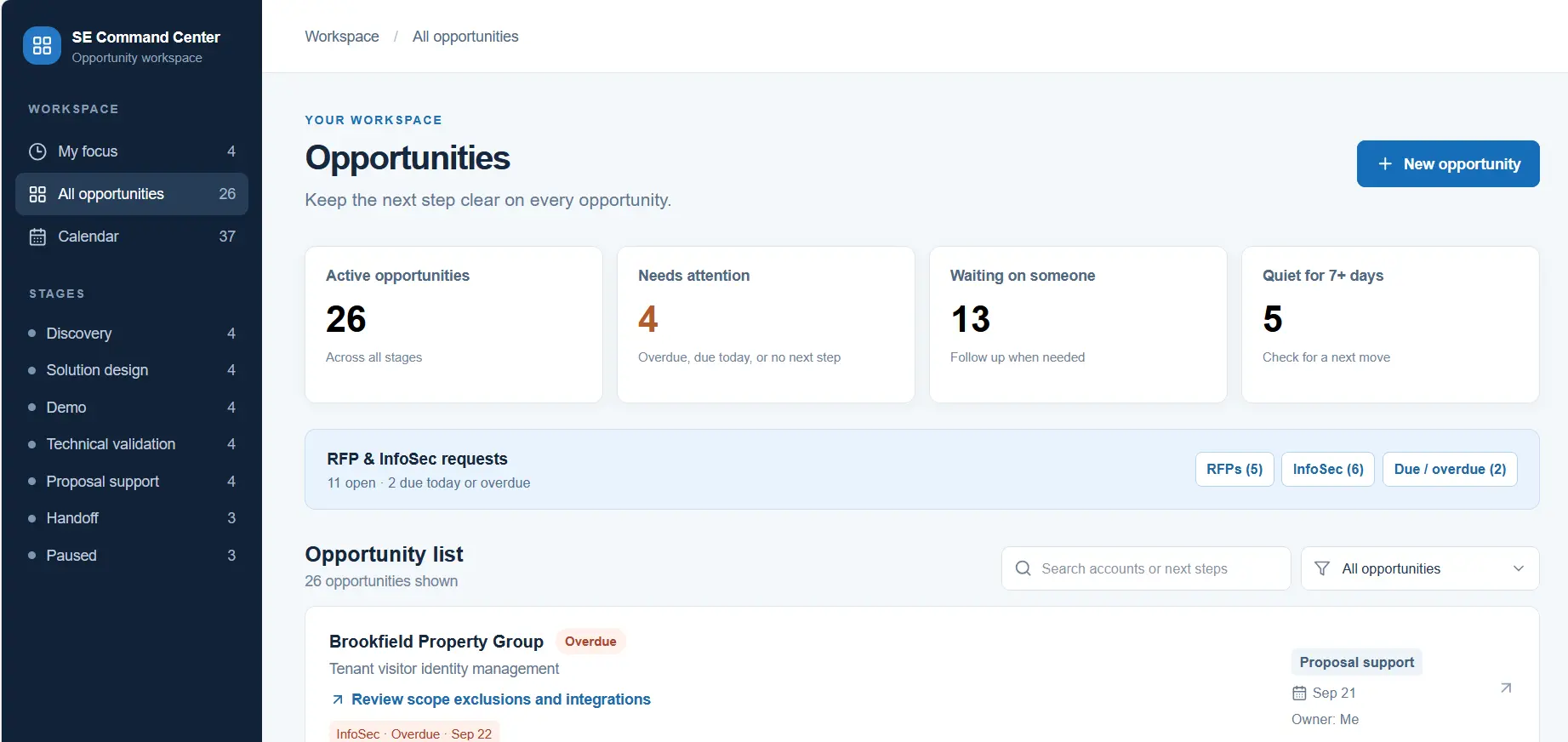
SE Command Center
Interactive demo + guided tourKeep every technical opportunity, dependency, deadline, and next action visible from discovery through handoff.
View project details →Solutions engineer · Security technology · AI-built tools
I'm Ky Gray, a solutions engineer with 20+ years in IT and security technology. I turn real-world operational problems into working software.
Open to Solutions Engineering, AI-enabled SaaS, security technology, and technical customer-facing roles.
Discovery, demos, technical validation, solution design, RFPs, integrations, and handoff.
20+ years across physical security, access control, video, networking, cloud platforms, and APIs.
Turning operational problems into working SaaS, voice AI, and workflow apps.
Connecting customers, sales, and engineering to turn requirements into practical solutions.
Working applications, not mockups. Each one solves a problem I've seen in solutions engineering, security delivery, field service, or contractor operations.
Engineering case studies: the constraints, decisions, failures, and measured results behind NightAgent and Ask Ky.
Keep every technical opportunity, dependency, deadline, and next action visible from discovery through handoff.
View project details →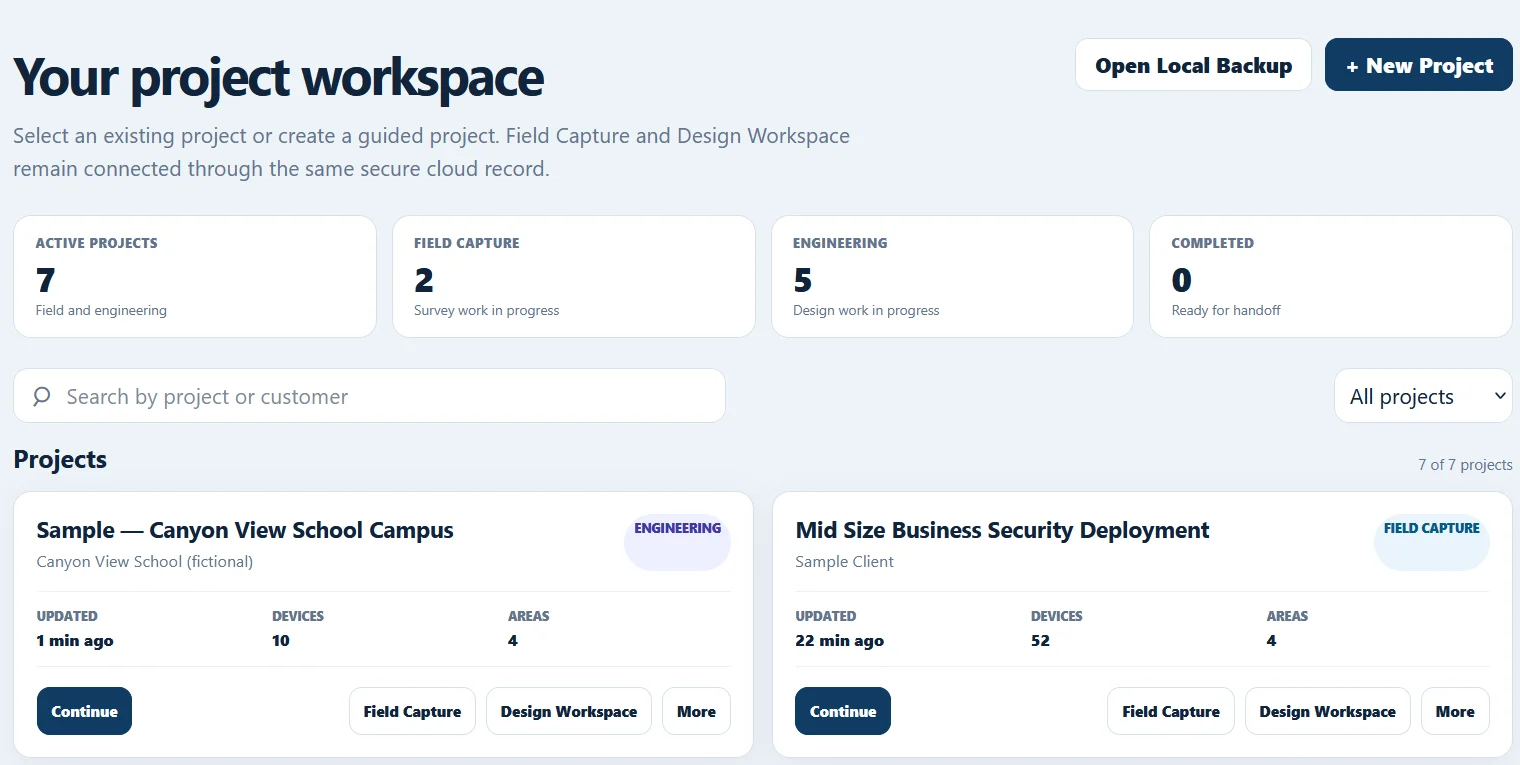
Carries each security project from field survey to equipment planning, BOM, and print-ready handoff documents.
View project details →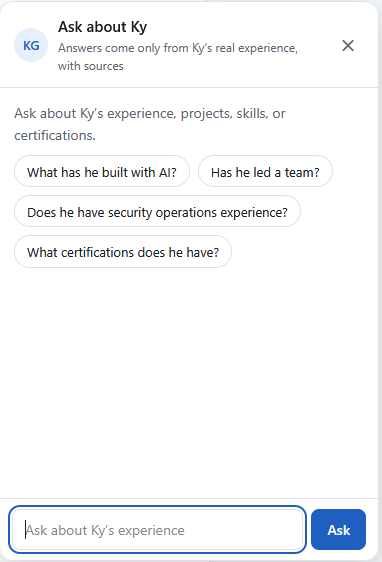
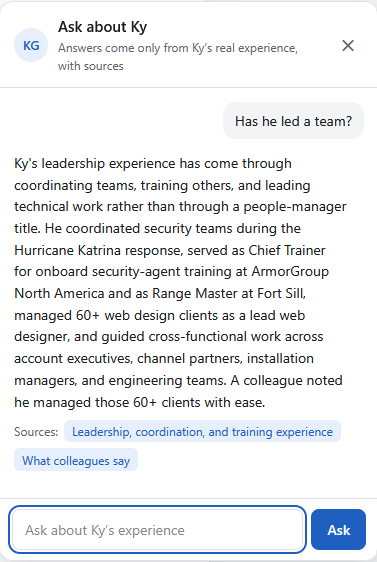
A Claude API assistant that answers questions about my background from a curated knowledge base, and shows its sources.
View project details →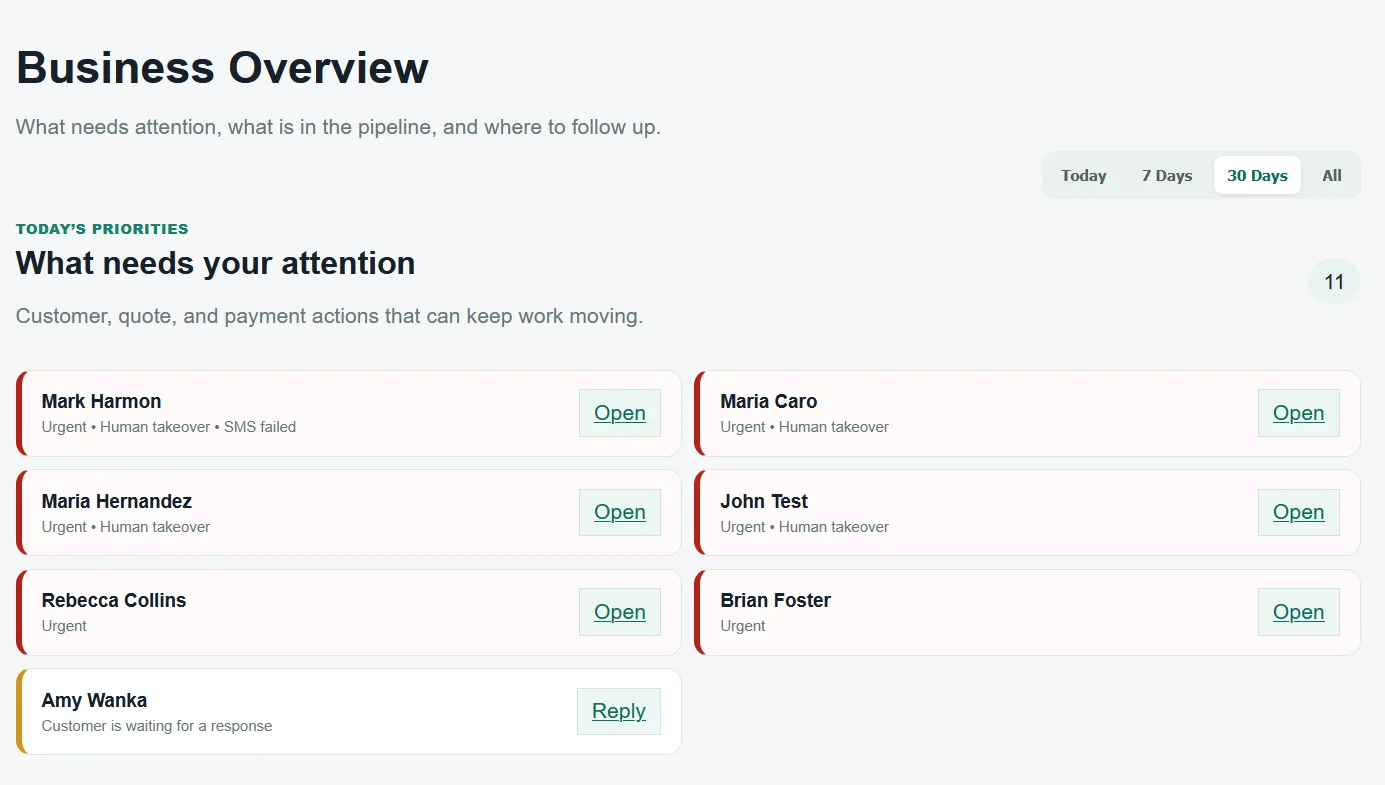
Keep customer requests, conversations, quotes, and invoices moving in one place.
View project details →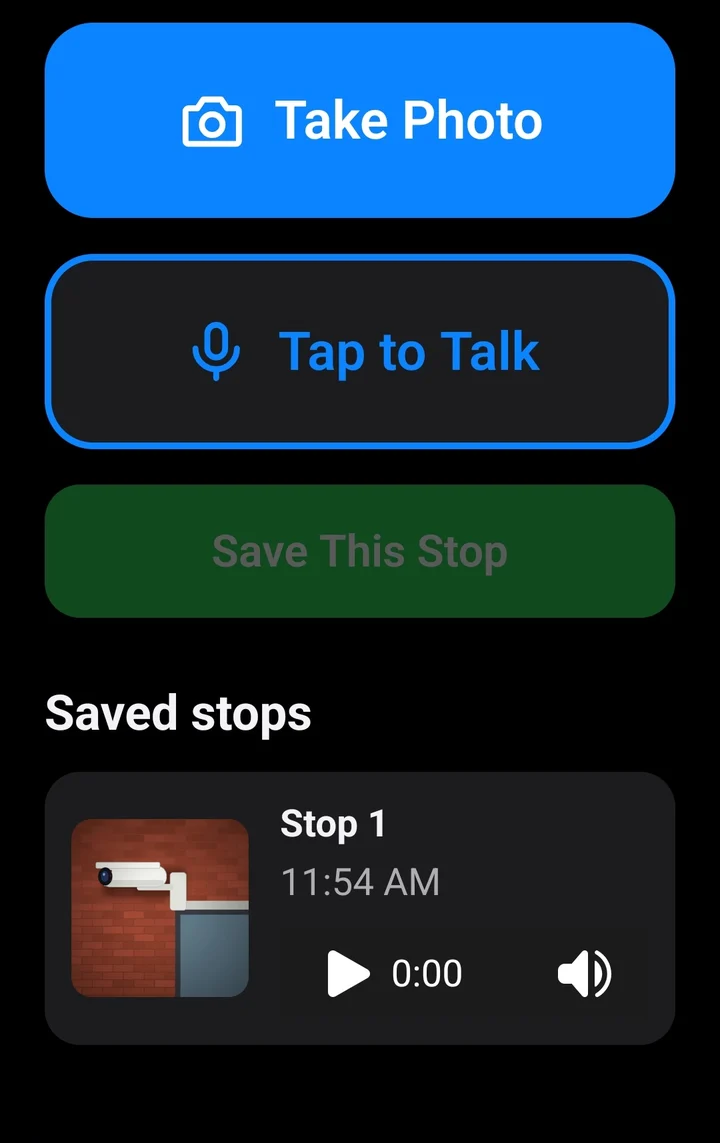
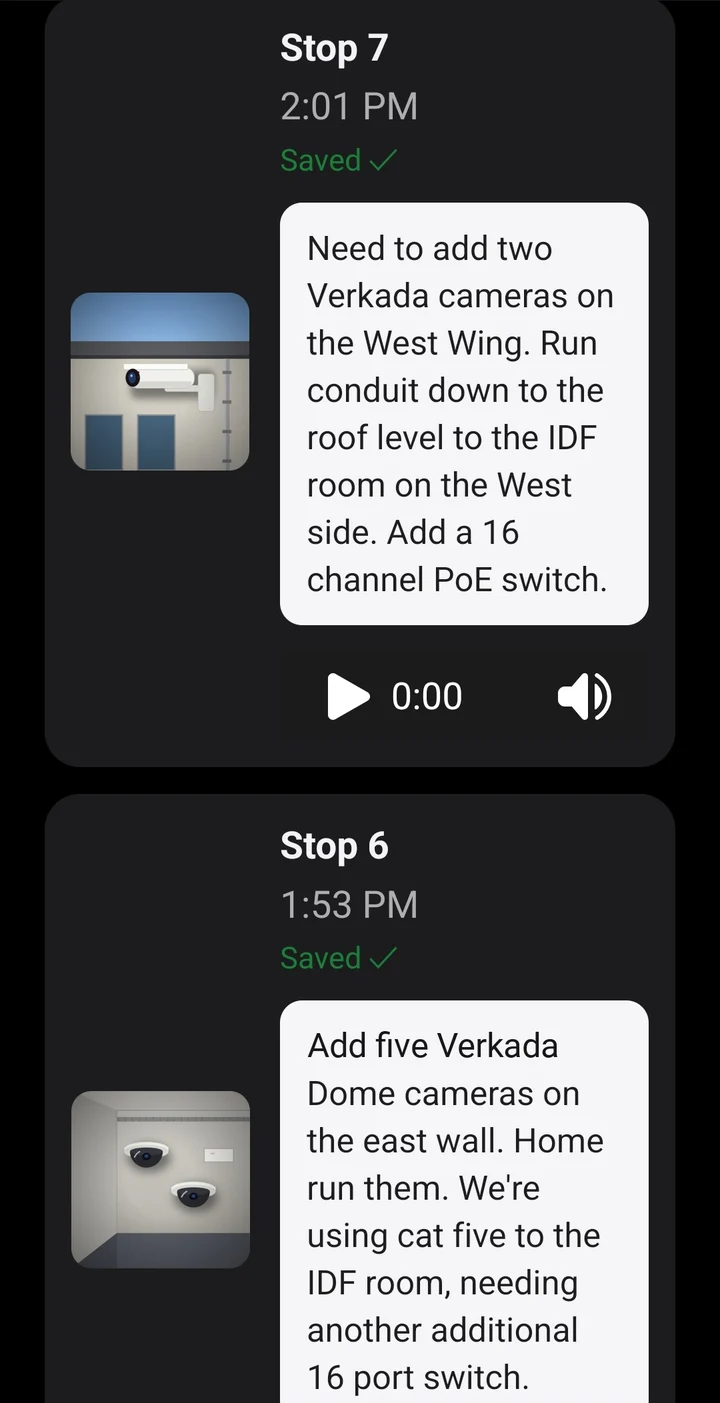
Offline-first site walks: photos and voice notes save on the phone, sync to Firebase, are transcribed by Deepgram, and become an AI summary and quote with the Claude API.
View project details →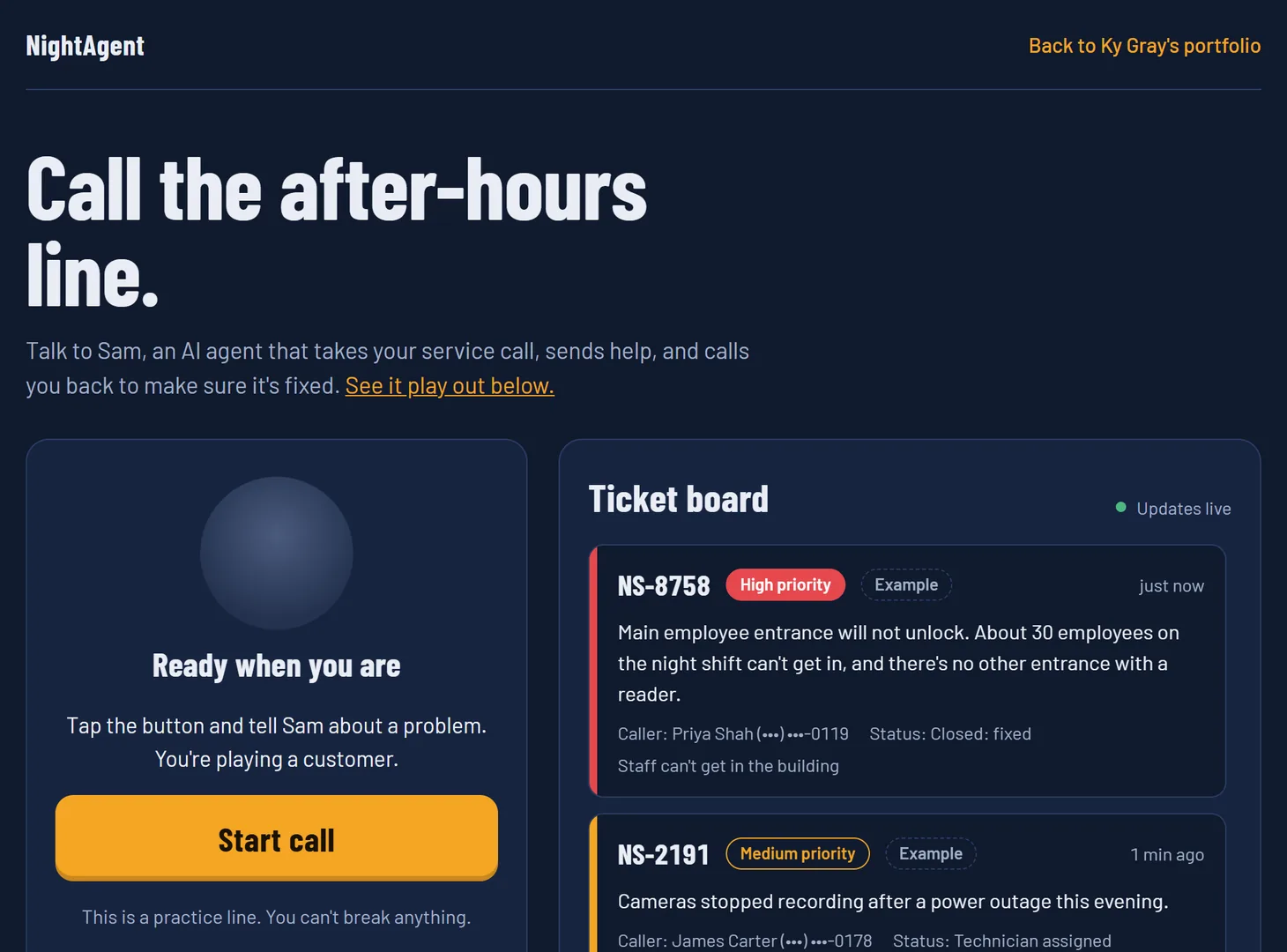
An AI voice agent for a security integrator. Sam answers after-hours calls, opens a triaged ticket, then calls the customer back to confirm the fix. ElevenLabs Agents, Python FastAPI, Supabase.
View project details →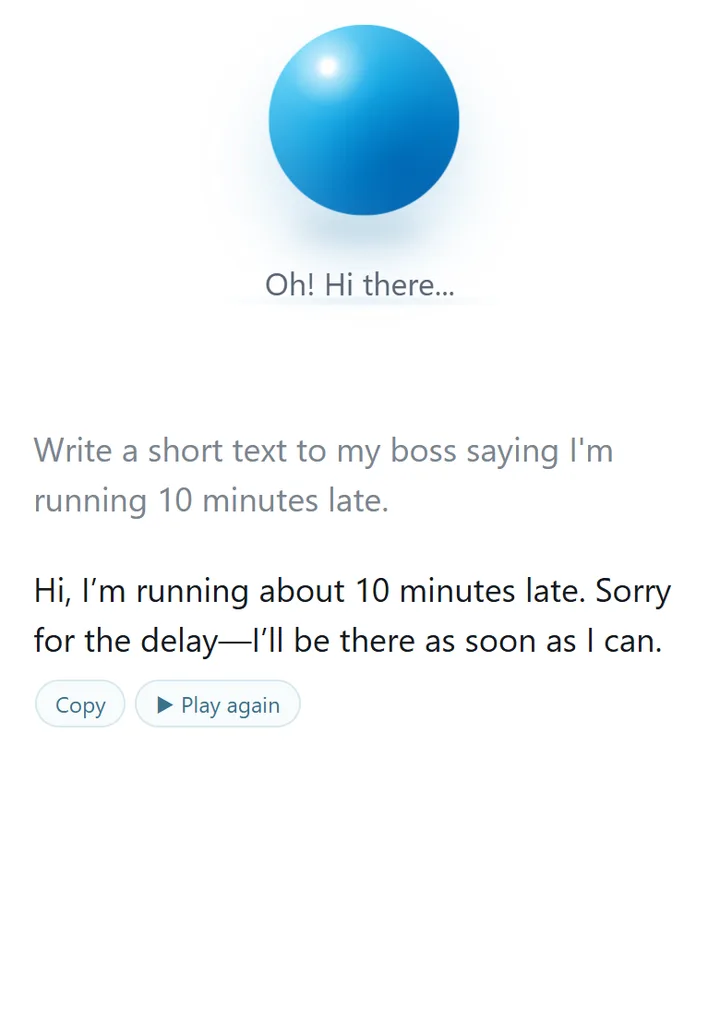
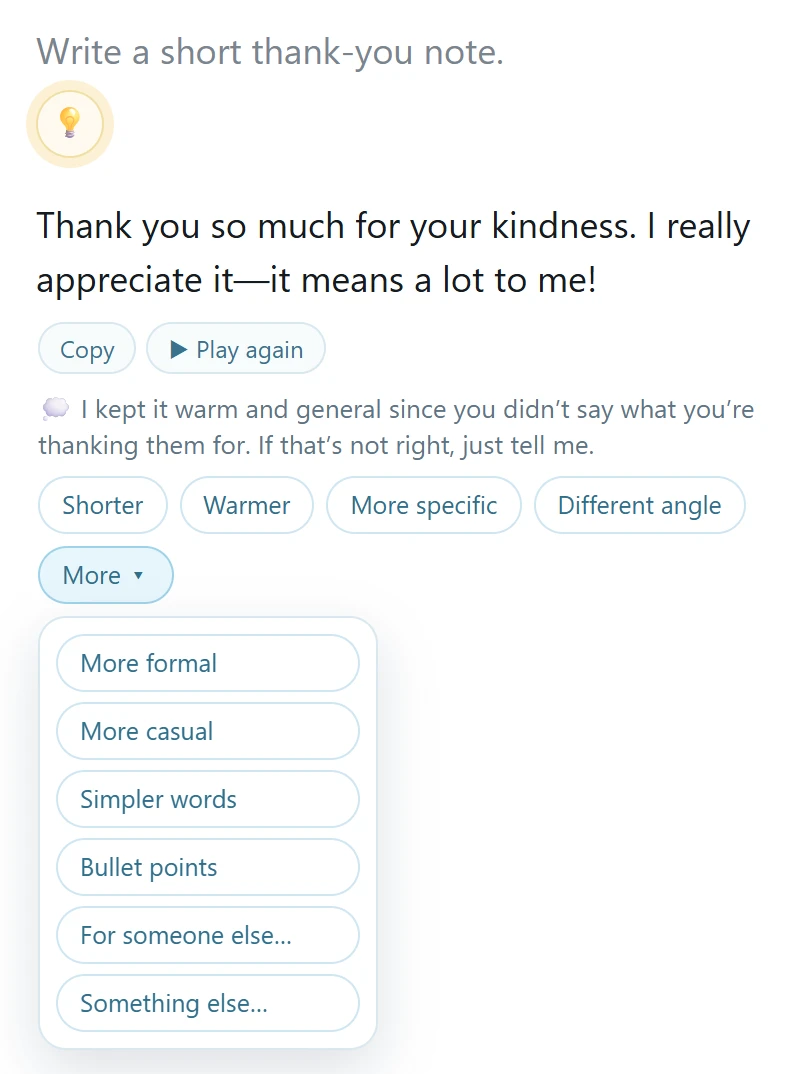
An AI companion for people who don't think of themselves as AI users. A built-in "brain" decides whether to just do the task, ask one question, or suggest a better way, so no prompt engineering is needed. OpenAI API on Vercel.
View project details →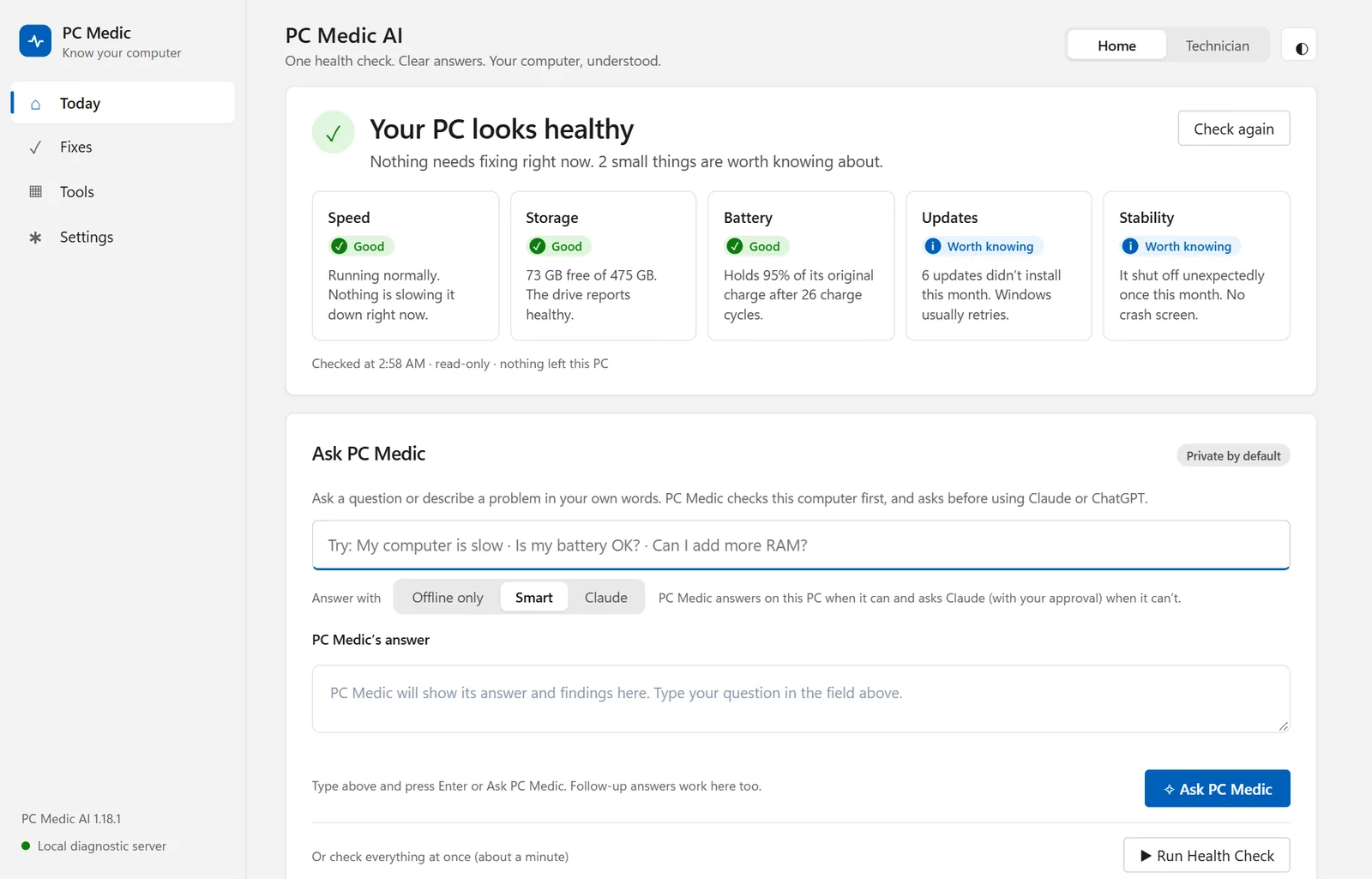
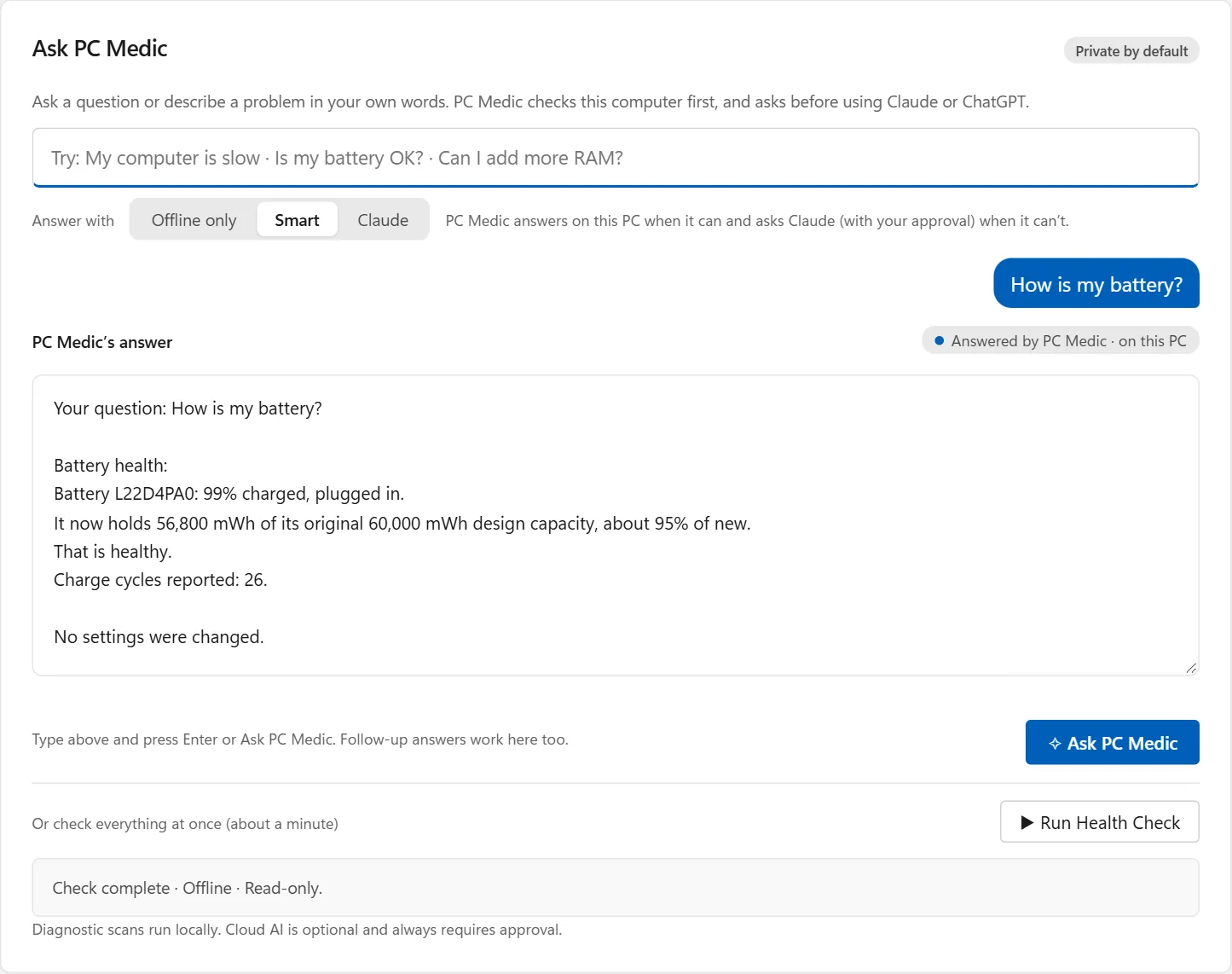
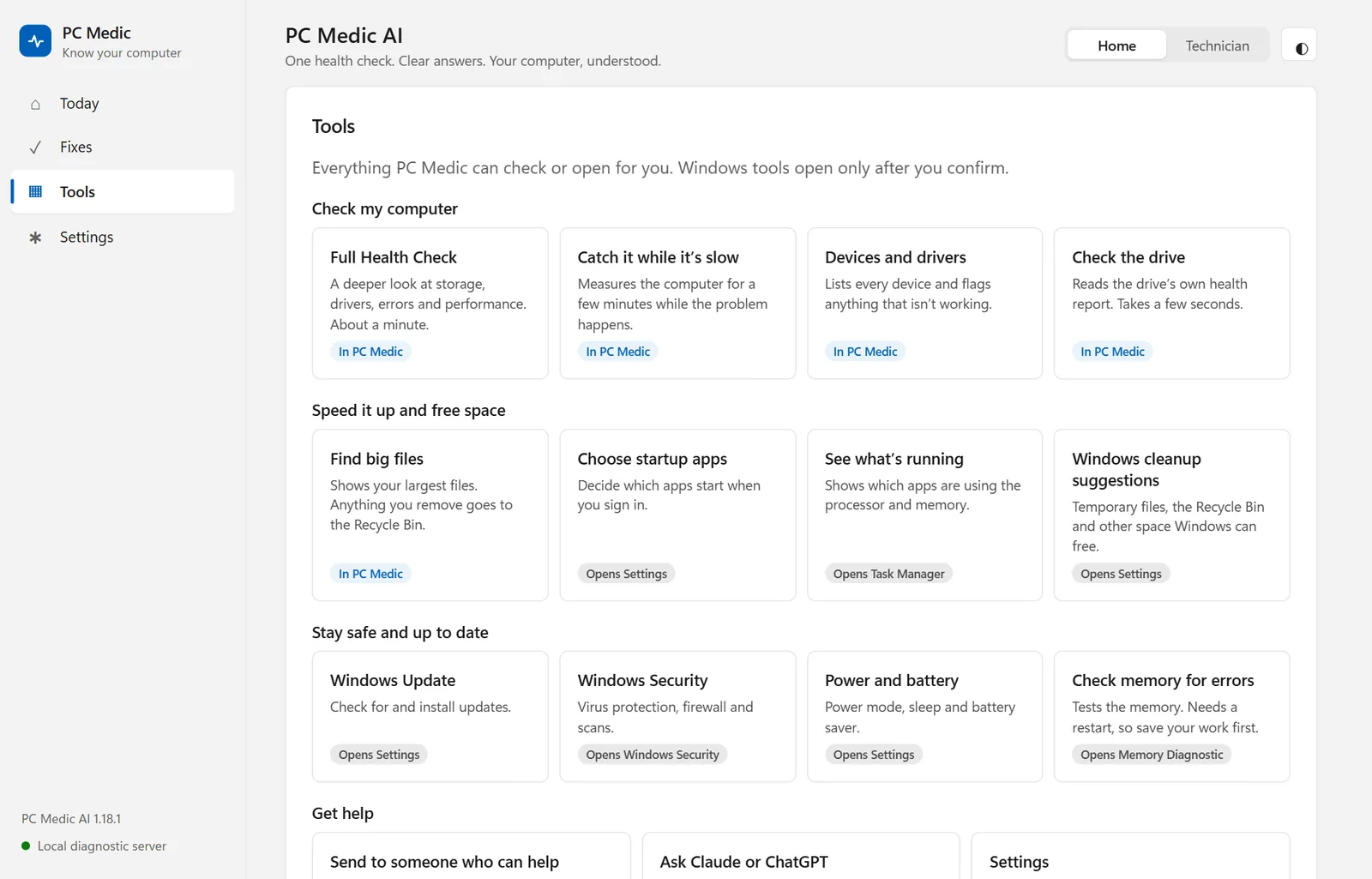
A Windows app that checks the real computer before it answers: hardware, logs, updates, crashes, and performance. Plain English for home users, raw evidence for technicians, and AI help only with the user's approval.
View project details →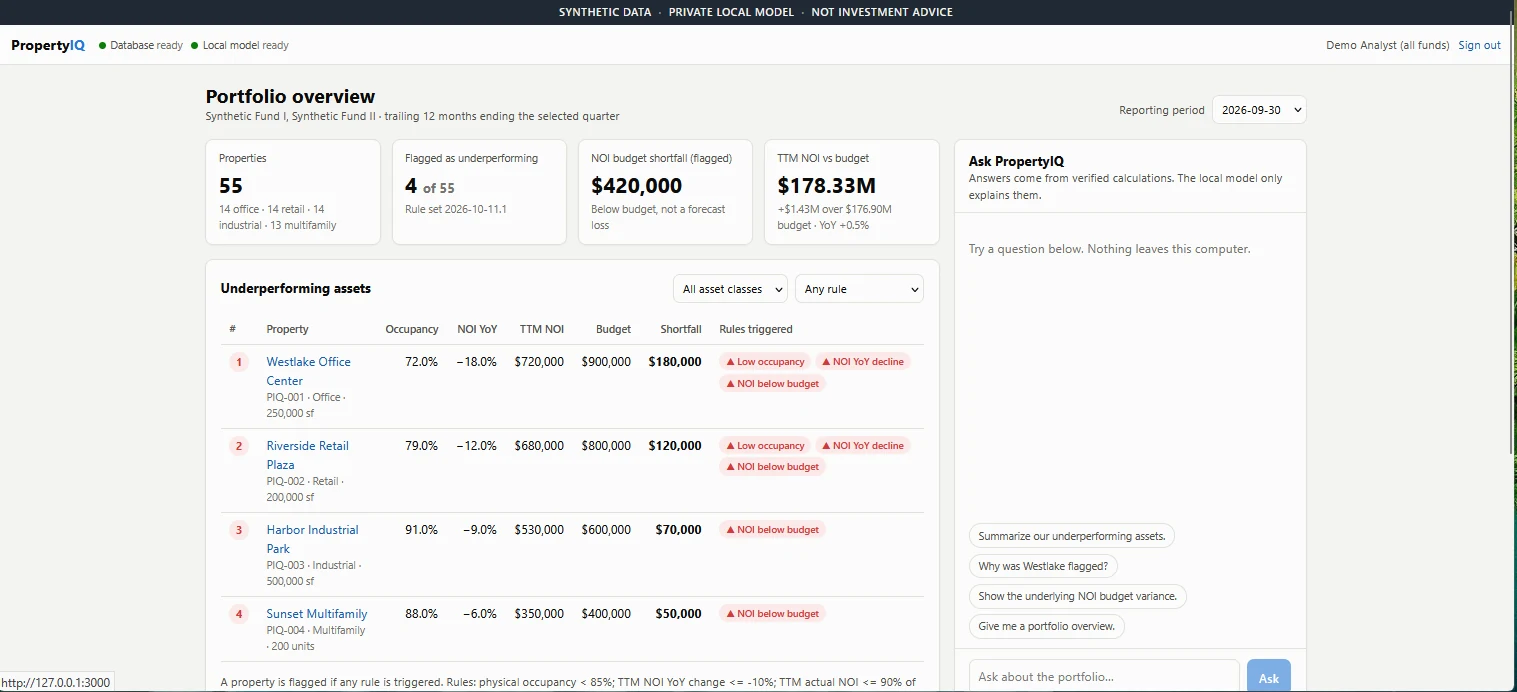
A self-hosted AI analytics and lending prototype. Code does the math from PostgreSQL, a local Qwen3 model only explains it, and every figure traces to its source. No external LLM API.
View project details →Calculate, learn, practice, and reference core welding concepts in one mobile-first field companion.
View project details →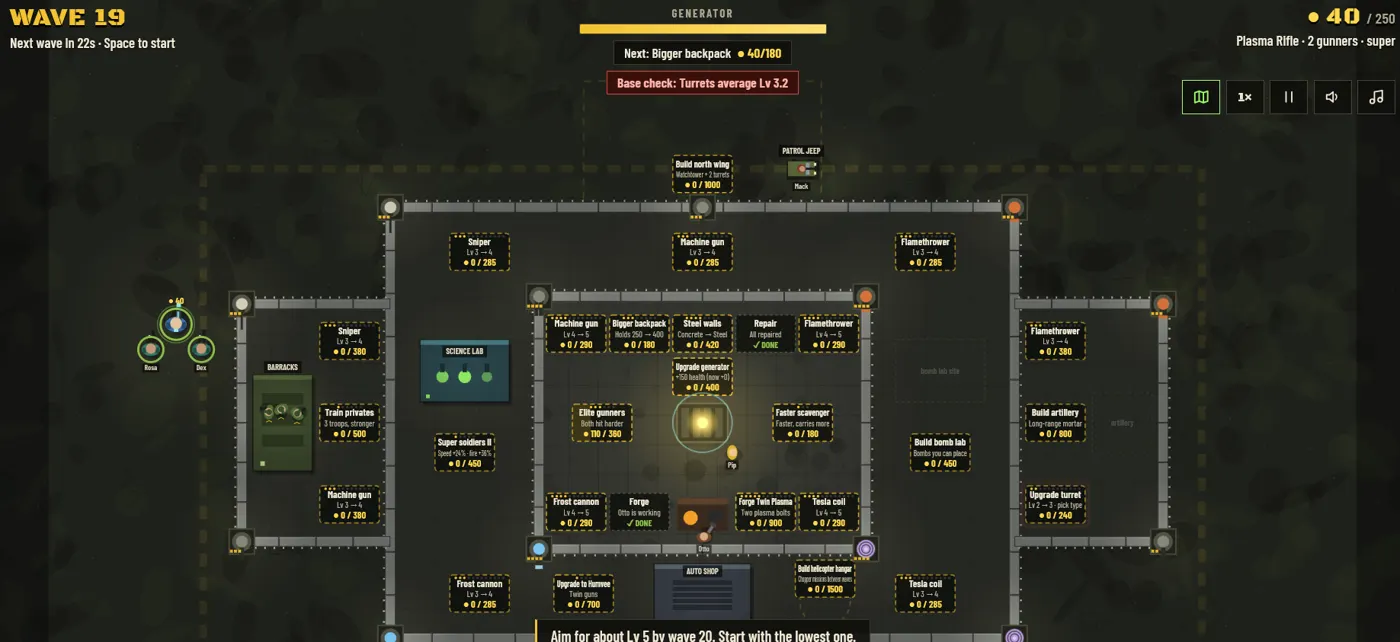
Defend a generator, build your base, and adapt your strategy through escalating zombie waves.
View project details →Field experience, workflow design, and AI-assisted development, from idea to working software fast.
I start with the workflow, not the technology: repetitive tasks, disconnected processes, and friction I've seen in the field.
I map steps, roles, and handoffs the way I'd scope a customer solution, then keep the interface simple.
I own the requirements, architecture, UX, and testing, and use Claude Code, ChatGPT, and Gemini to build faster. My background in IT, SQL, PHP, scripting, and APIs lets me check what gets built.
I deploy with GitHub, Vercel, and Firebase, use Supabase, Firestore, and SQL for data, and keep refining each tool through real use.
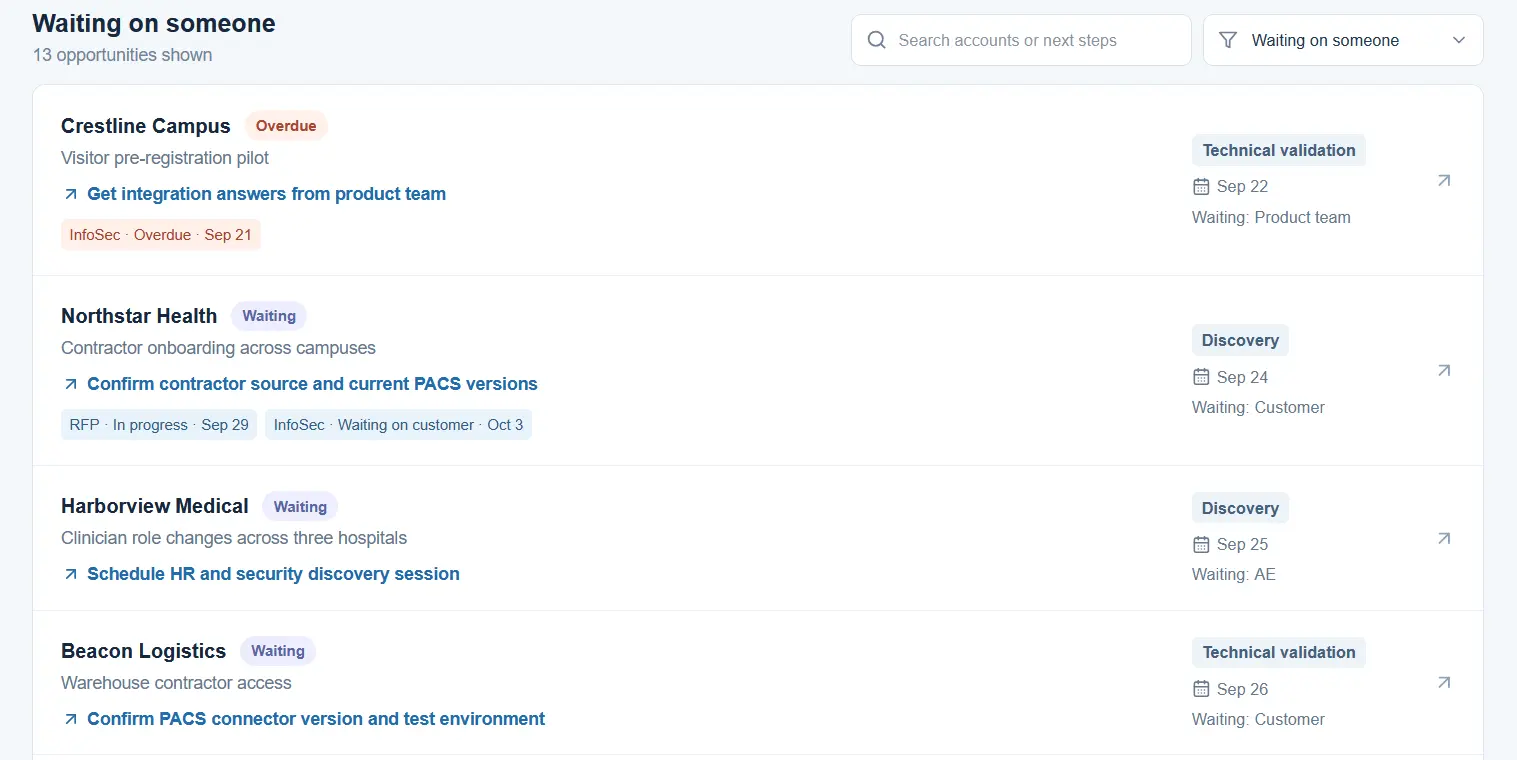
SE work (discovery, demos, RFPs, security questionnaires, handoffs) is spread across tools, so blockers, owners, and deadlines get lost.
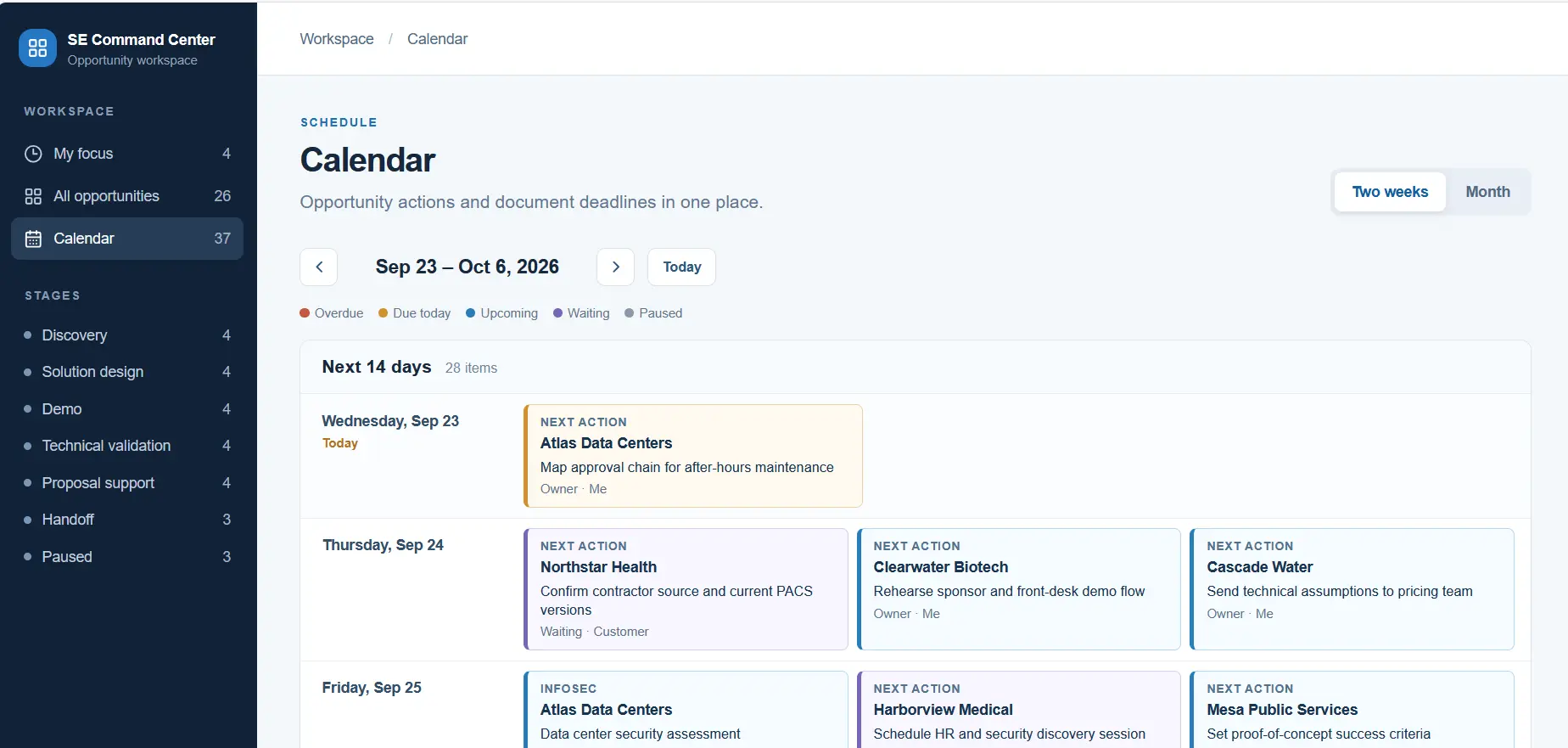
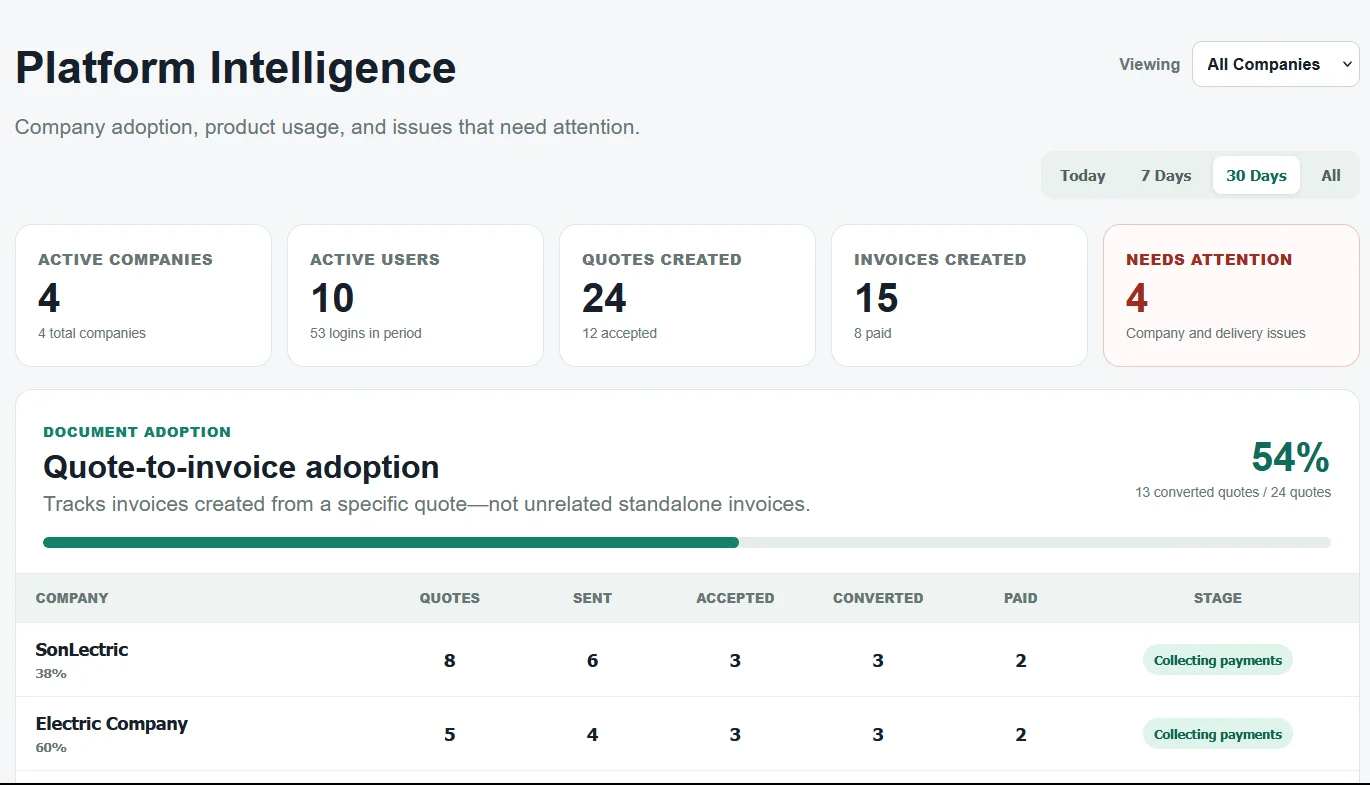
Opportunities move by stage from discovery to handoff. My Focus shows what needs attention, dependency tracking shows who you're waiting on, and calendar views turn deadlines into a plan. An Impact view shows the pipeline supported per SE hour. Suggest next step has Claude draft the next action, owner, and due date; nothing changes until the SE saves it.
Explore a fictional SE workspace with 26 sample opportunities, RFP and InfoSec deadlines, and a guided tour.
Launch Interactive Demo ↗Fictional data, no sign-in. Changes stay in your browser tab.
Built in a few hours over about 60 iterations with ChatGPT and Claude, modeled on how I ran opportunities as an SE. Next.js and TypeScript on Vercel; my own workspace is behind a server-checked password.
Security projects lose time and accuracy when field notes, device layouts, estimates, and installation instructions are managed separately.
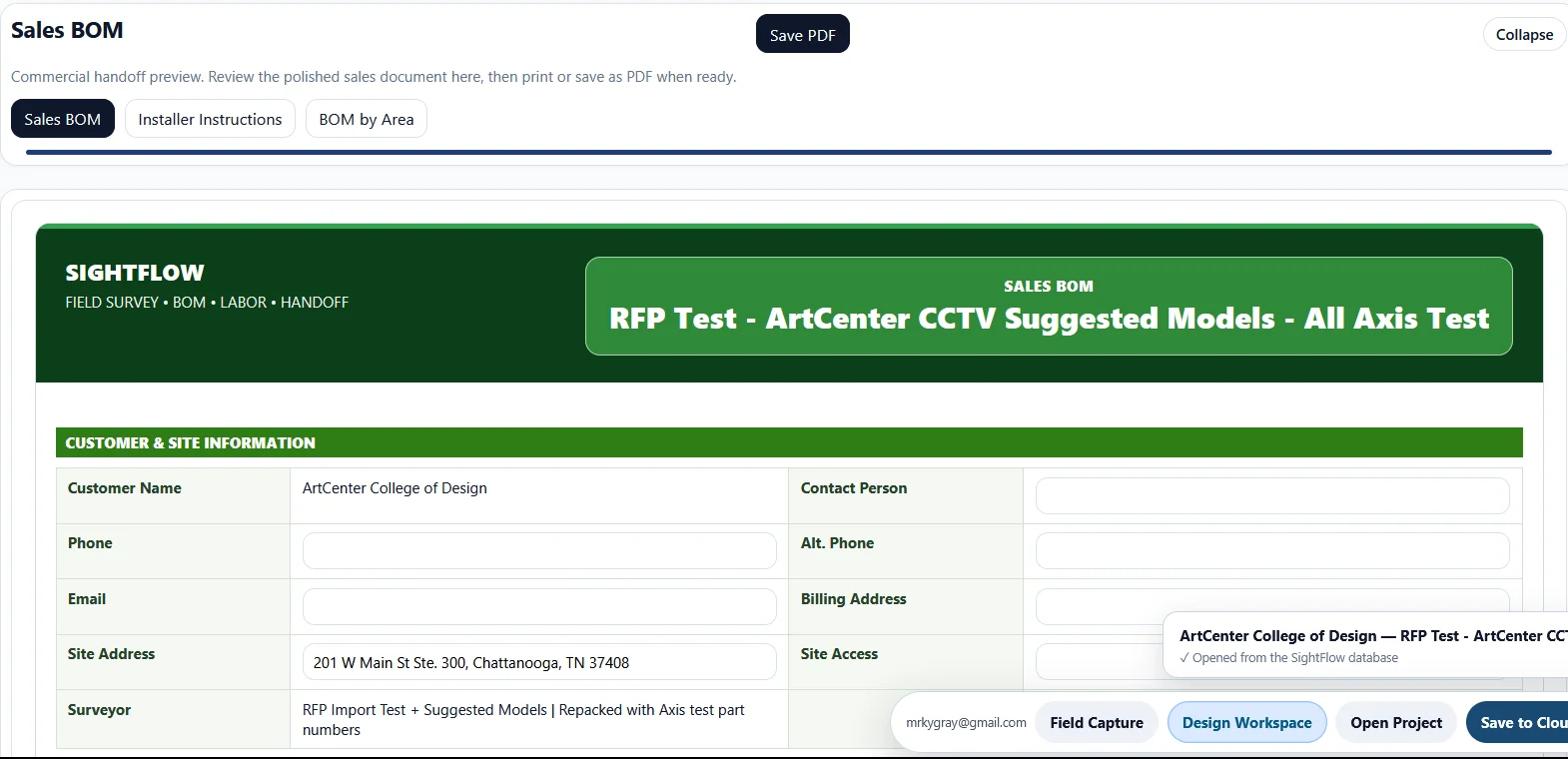
A guided site survey by area feeds a design workspace for equipment, labor, and BOM, then produces sales and installer handoff documents.
Built from years of walking sites, over 149 iterations with ChatGPT, Claude, and Gemini. A static JavaScript app on Vercel with Supabase sign-in and project storage, JSON import and export, and built-in self-checks.
A labor engine, cable takeoffs by type, IDF assignments with Mercury controller capacity validation, Verkada license and PoE rules, automatic NVR balancing, and lift scope review.
A fictional 16-area hospital with 271 device records, 43 reader locations, 26 cameras, and about 41,000 feet of cable, producing a complete work order and sales BOM.
Pick a project, capture the site's walk areas, IDF rooms, and devices, review the project overview, map Mercury, CCTV, and alarm hardware, then print the work order, sales BOM, and installer instructions.
Recruiters have specific questions a résumé can't answer at a glance: has he done this, with which tools, and how does it fit our role? Scrolling a long portfolio to find out takes time they don't have.
Ask Ky turns the portfolio into a conversation. Visitors ask in their own words and get a short answer with the sources it came from.
A Vercel serverless function keeps the API key on the server, limits input, and rate-limits. Keyword retrieval picks the most relevant of about 40 knowledge-base sections, Claude answers only from them, and the server drops any citation it didn't send.
Claude Haiku 4.5 replies in JSON: the answer, the sections it cited, and whether it really answered. The browser shows the answer as plain text, never HTML.
Check fit for a role uses the same function but sends every section, so a match isn't limited by what retrieval picked. Visitor questions are logged, so I can see what recruiters actually ask and fill gaps in the knowledge base.
I curated the knowledge base: about 40 sections on my experience, certifications, and every project, updated whenever a project changes. I chose keyword retrieval with synonyms over embeddings because it's simple, free to run, and easy to debug when an answer misses.
Two test scripts keep it honest. A retrieval test runs 106 realistic recruiter questions, many worded differently from the knowledge base on purpose, through the real retrieval code at no API cost: 105 find a section that answers them. A red-team script attacks the live endpoint with prompt injections and jailbreaks (see how I hardened it).
A recruiter asks about my experience in their own words, and Ask Ky answers from my record.
Small electrical contractors can lose track of customer requests when calls, texts, quotes, and follow-ups live in different places.
PowerQuote keeps every customer request in one place, from the first message to the paid invoice.
Explore a fictional electrical contractor account with sample leads, quotes, and invoices, plus a guided tour.
Launch Interactive Demo ↗Fictional data only; external messaging is disabled.
Leads come in, a conversation is reviewed, a quote is built line by line with parts, labor, and tax, a secure link is sent, and the admin page shows company settings.
On a site walk, contractors take dozens of photos and quick notes. By the time they're back at the office, the context is gone, and someone has to rebuild it from memory before the estimate can start. Details like model numbers and what the customer asked for get lost.
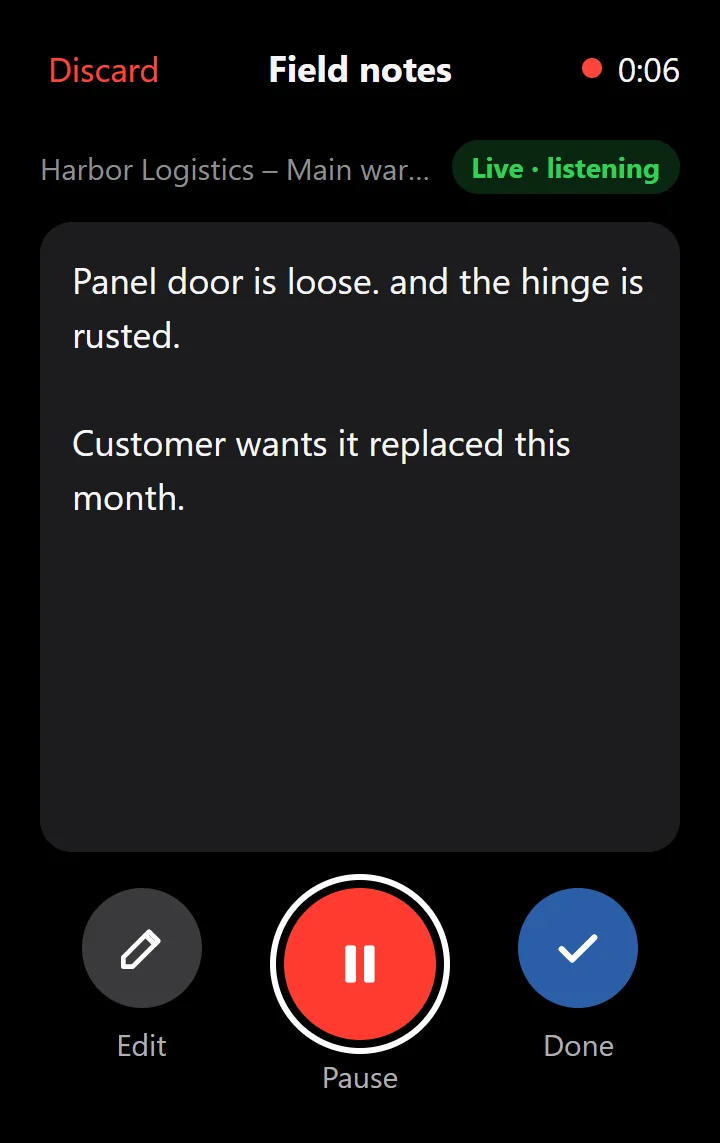
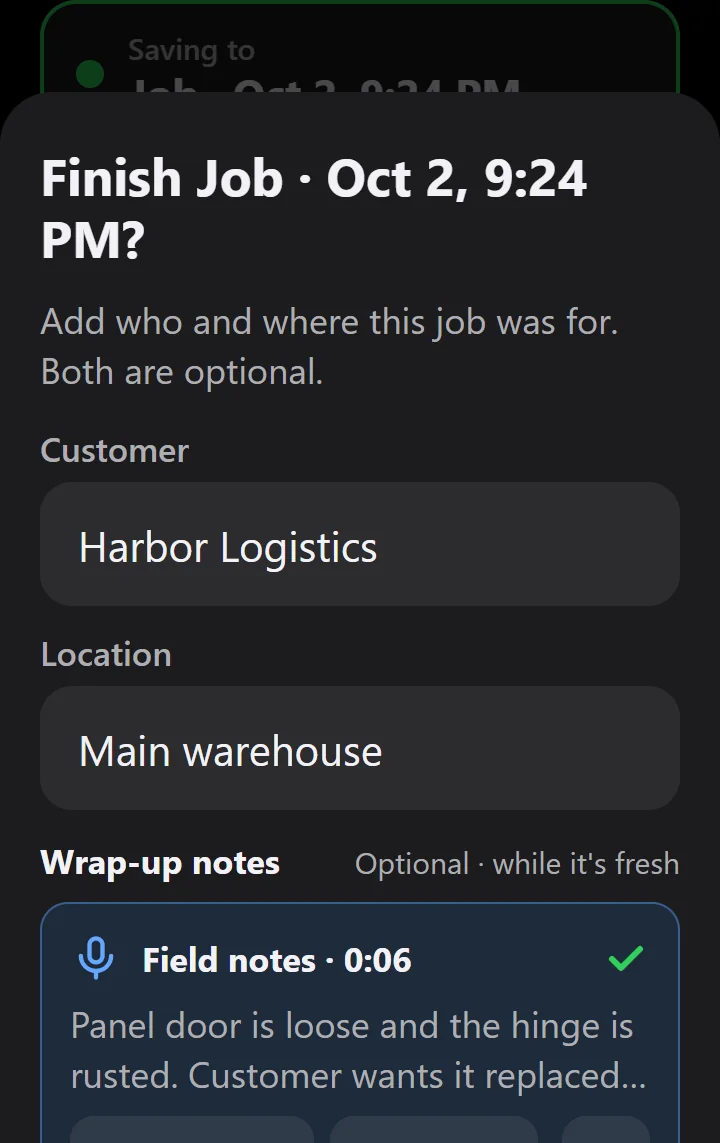
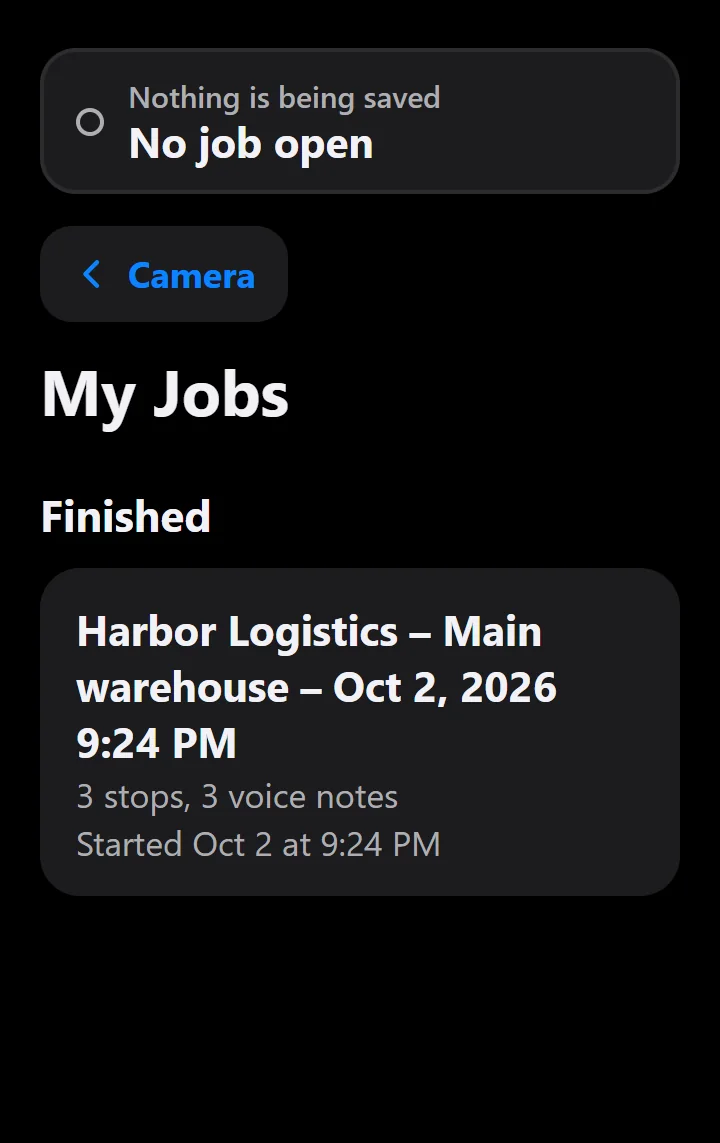
Take a photo, tap to talk, save the stop. PicTalk pairs each photo with a voice note and its transcript, and groups stops by job.
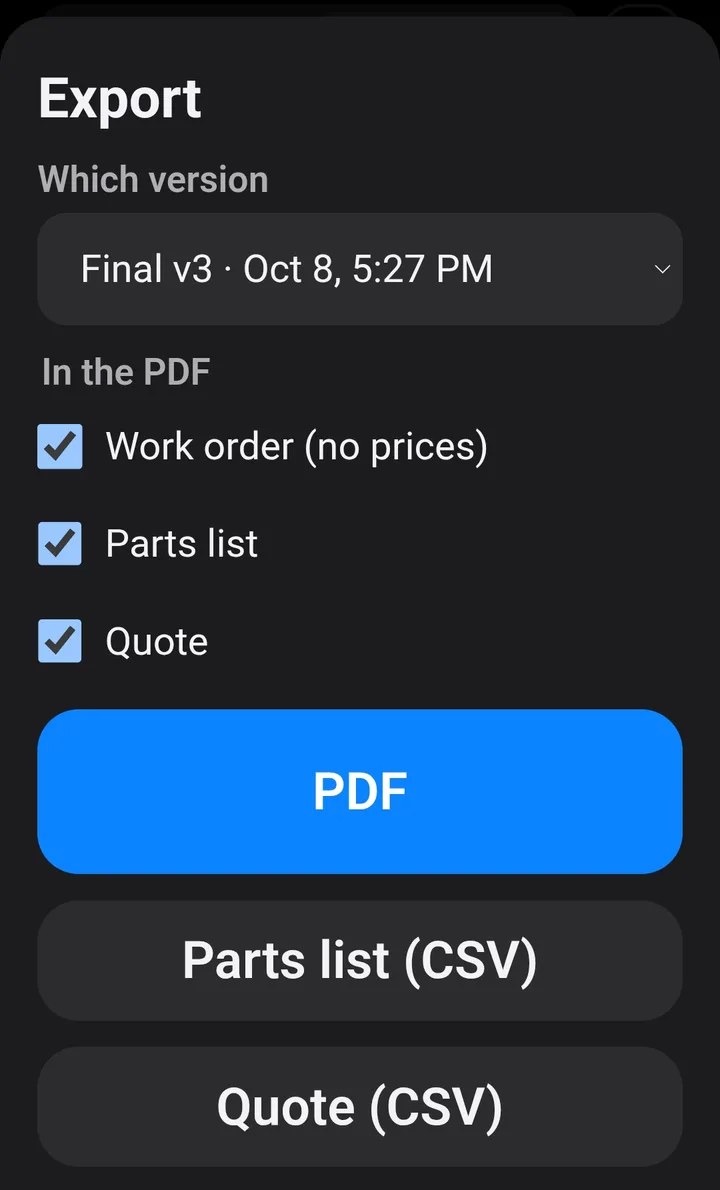
Piccolo finalizes a numbered version that can't be changed and exports it as a PDF, CSV, or JSON. A company can invite estimators, field techs, and installers, and an admin console tracks each job from captured to quoted, won, and installed. Each final records what the estimator changed from the AI's draft, so later drafts reuse the company's own wording, part numbers, and prices.

Scan with your phone's camera. No sign-up: seven example jobs to explore. Then tap Piccolo (quick sign-in) for a sample work order, parts list, and quote.
Open PicTalk ↗View the code on GitHub ↗See the Evaluation Lab ↗Demo: designed for phones, up to 10 stops per job. Voice recordings are deleted after 5 days.
Next: quote approval by secure link, email delivery, and export into estimating tools and CRMs.
I built PicTalk with Claude Code, Anthropic's AI coding agent, and learned Firebase, Node.js, and Git along the way. I started with the site walk itself (photo, voice, save) and made it work with no signal before adding any AI.
Then I made the hard parts measurable. Engineering Mode shows where the time goes on each stop, and the Evaluation Lab drives the real app in a phone-sized browser while cutting the signal. Its first run found that losing signal mid-sentence kept only the words heard before the drop. Now a lost signal transcribes the whole recording, and all 21 runs pass. I also tested on a real Android phone with made-up customers.
Take a photo and say what you see: PicTalk saves both as one stop, describes the photo, and lets you fix any word.
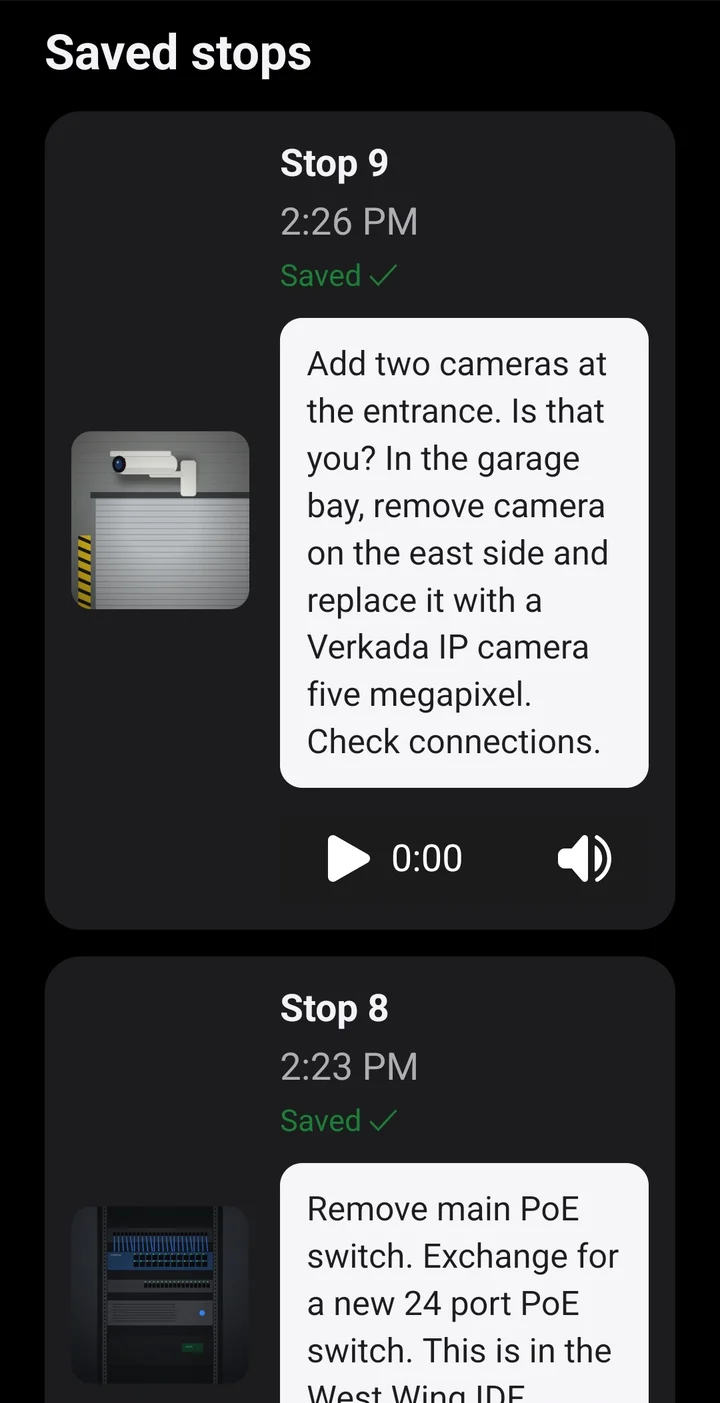
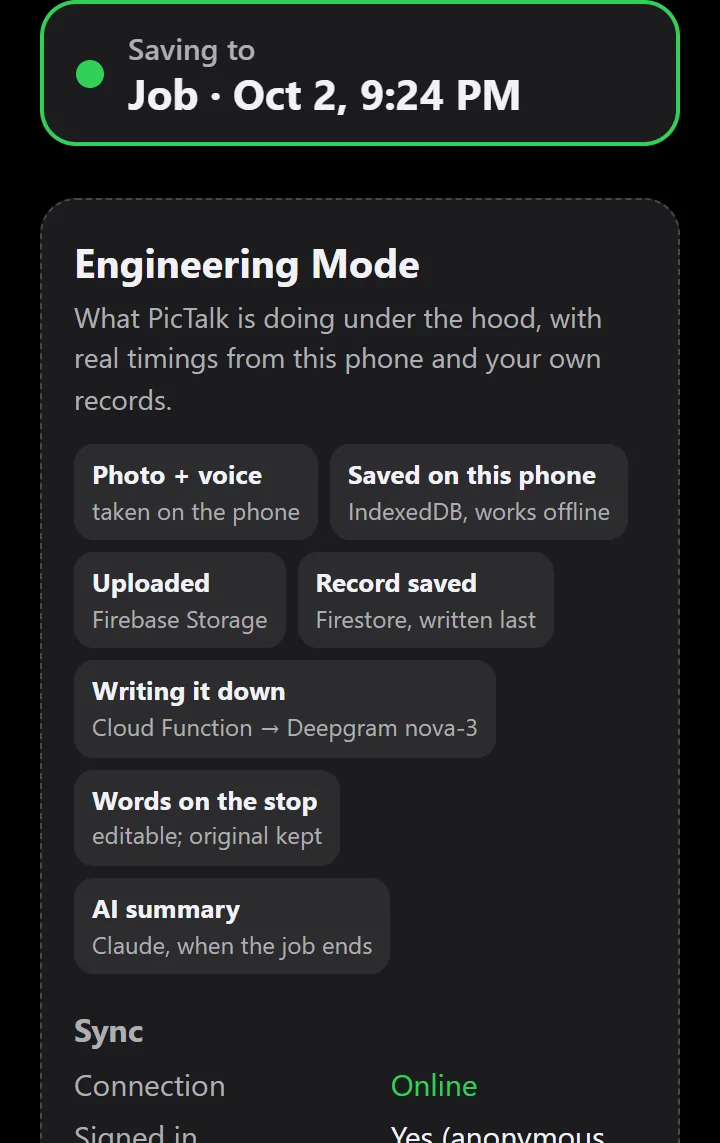
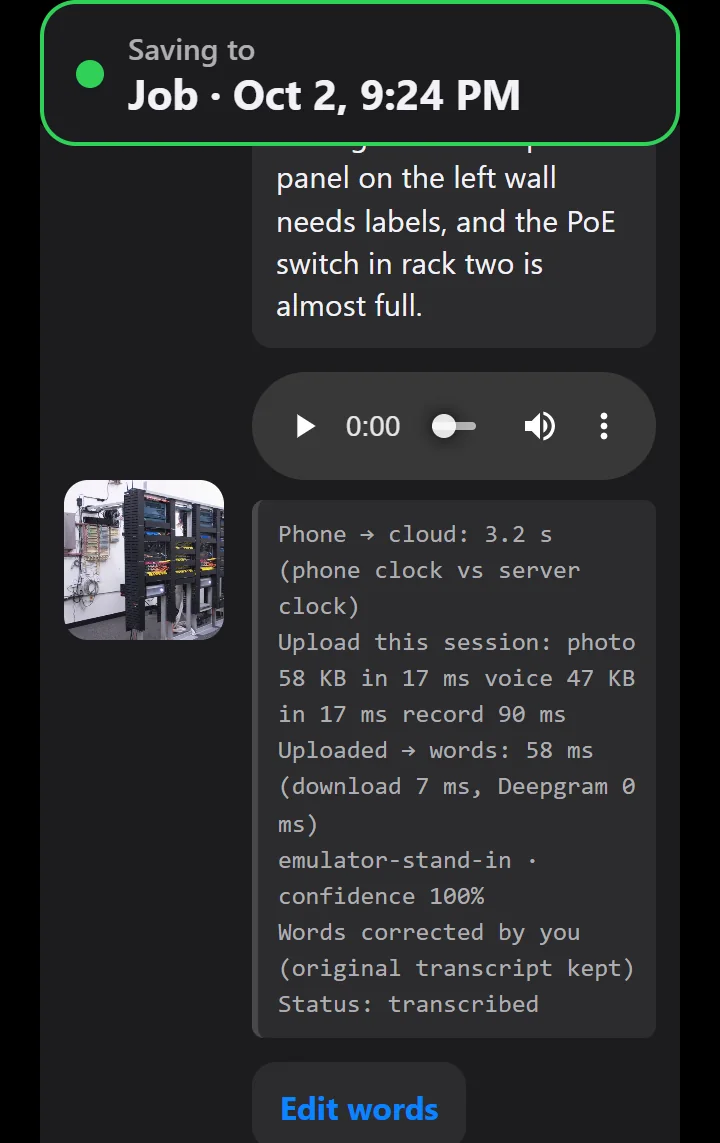
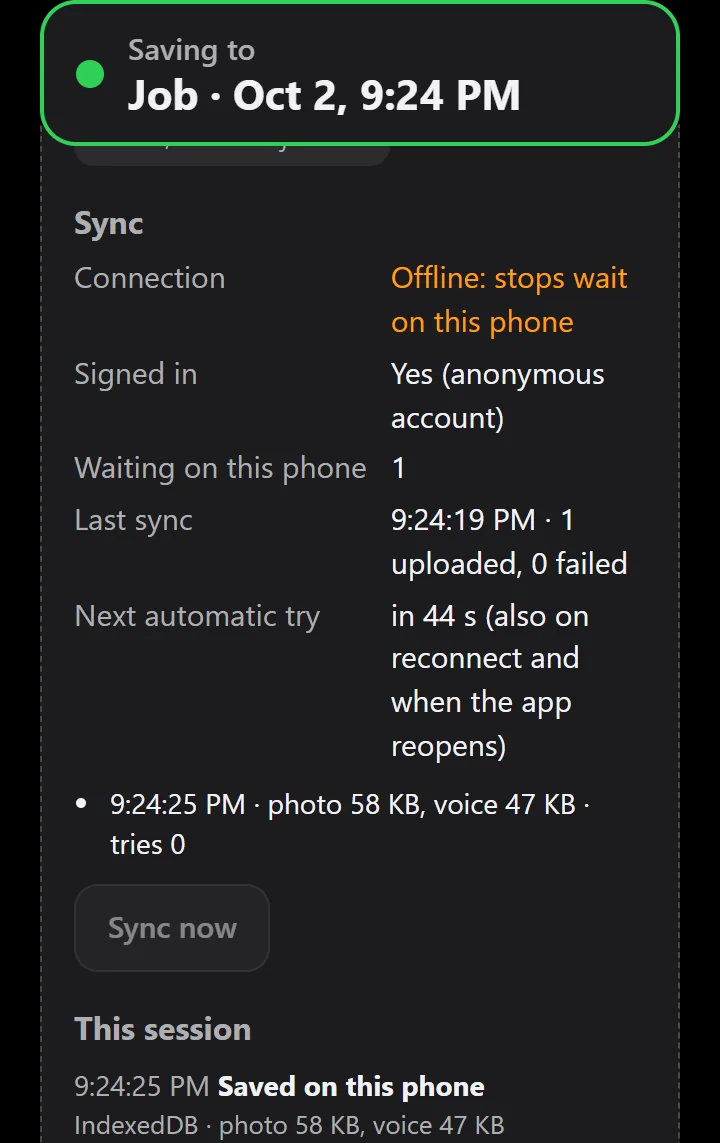
Engineering Mode pictures were taken in the local test environment, where speech-to-text and the AI are free stand-ins, so their times show near zero. Upload, sync, and offline timings are real browser measurements.
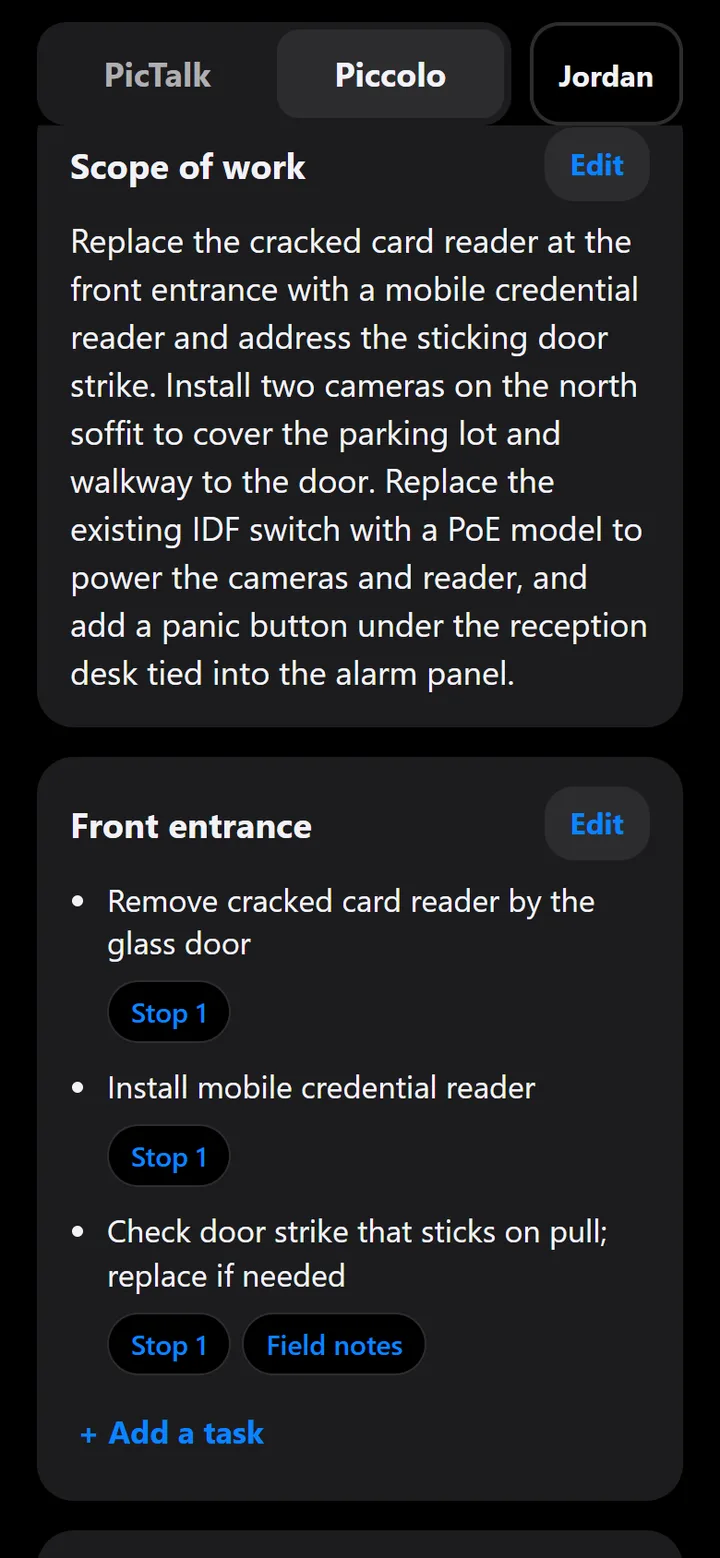
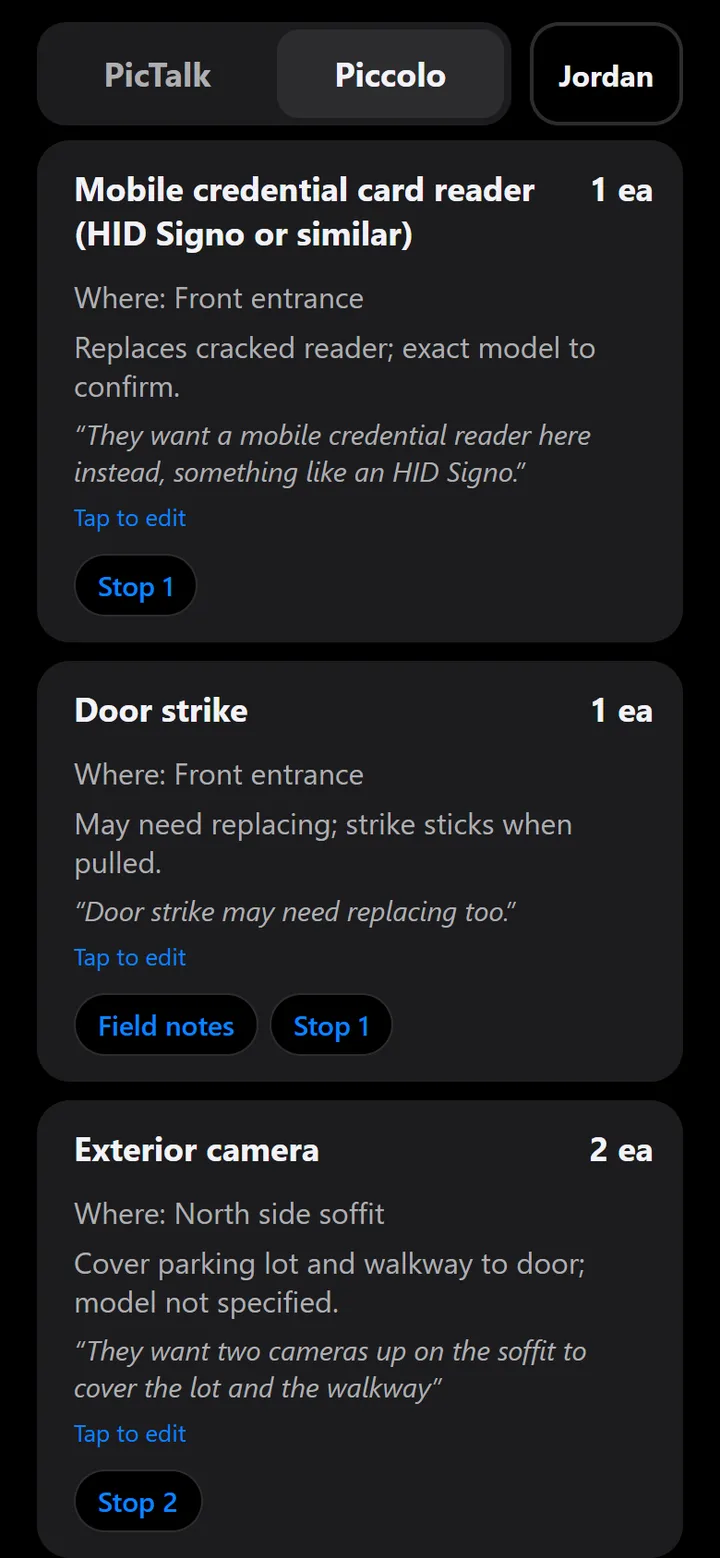
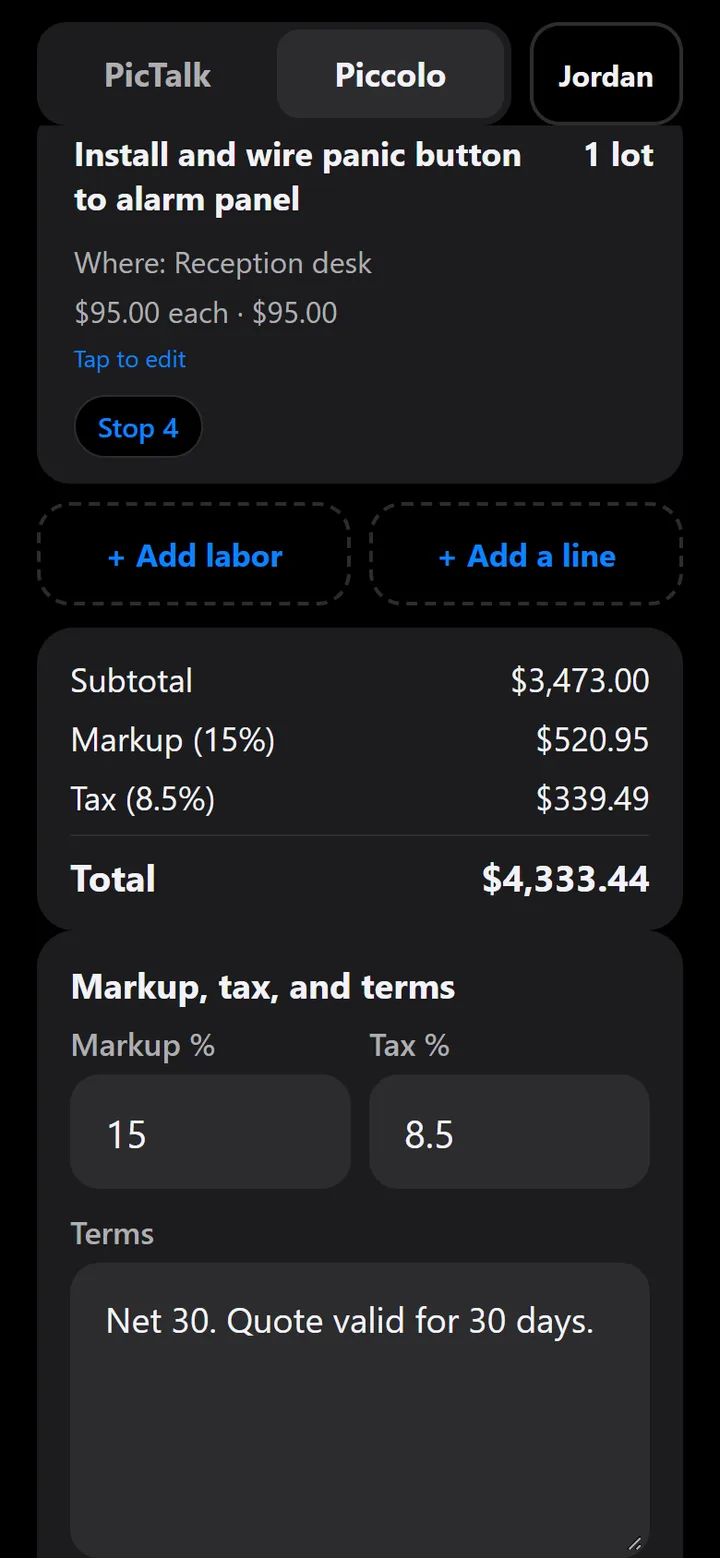
Piccolo pictures show the made-up "Try Piccolo" sample job on the test site, drafted by Claude; the prices were entered by hand, as an estimator would.
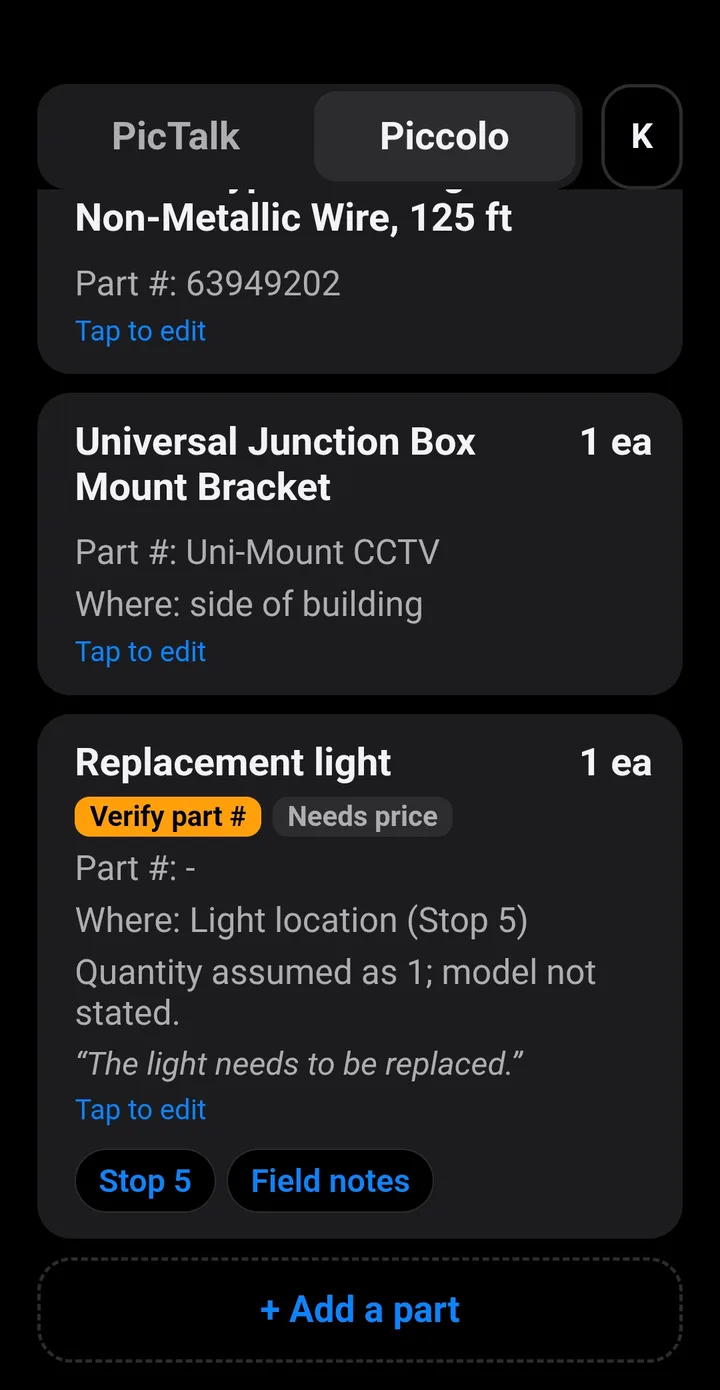
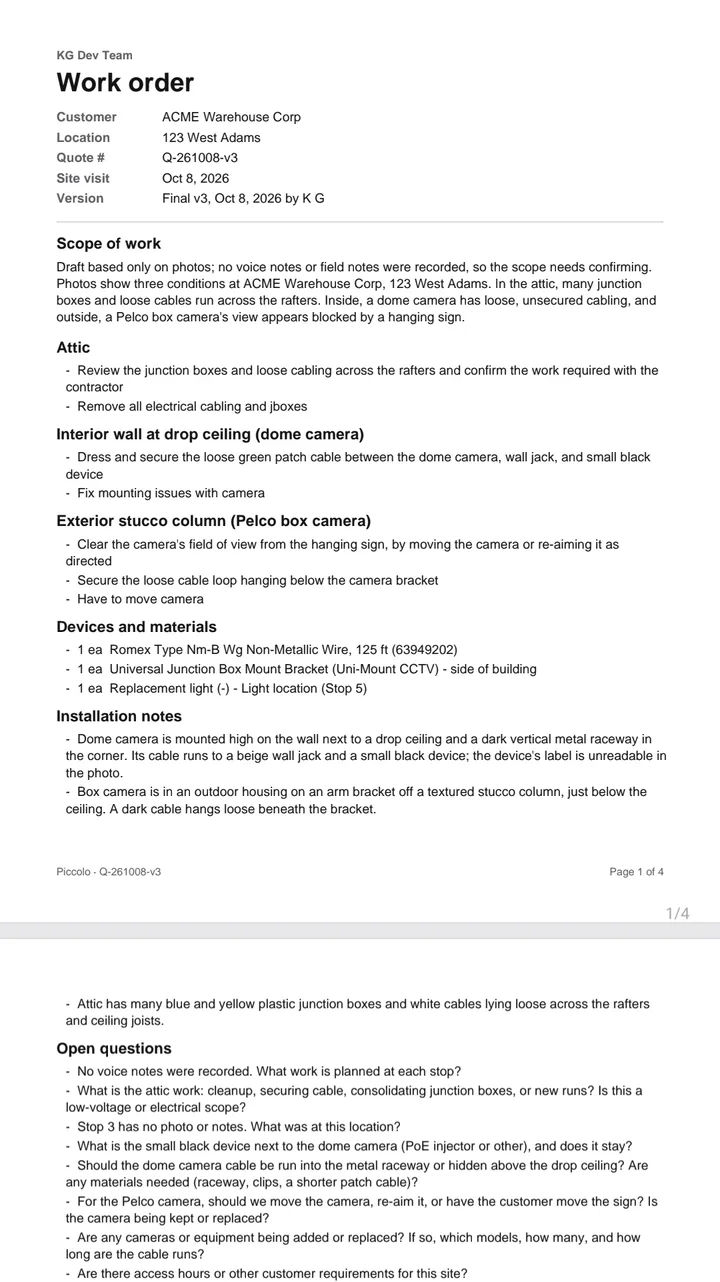
Phone pictures are from testing on an Android phone with made-up customers.
After-hours calls reach an answering service that can only take a message. Emergencies wait with routine requests, and nobody checks that the fix held.
Sam, the AI voice agent, answers the night desk for a demo security integrator:
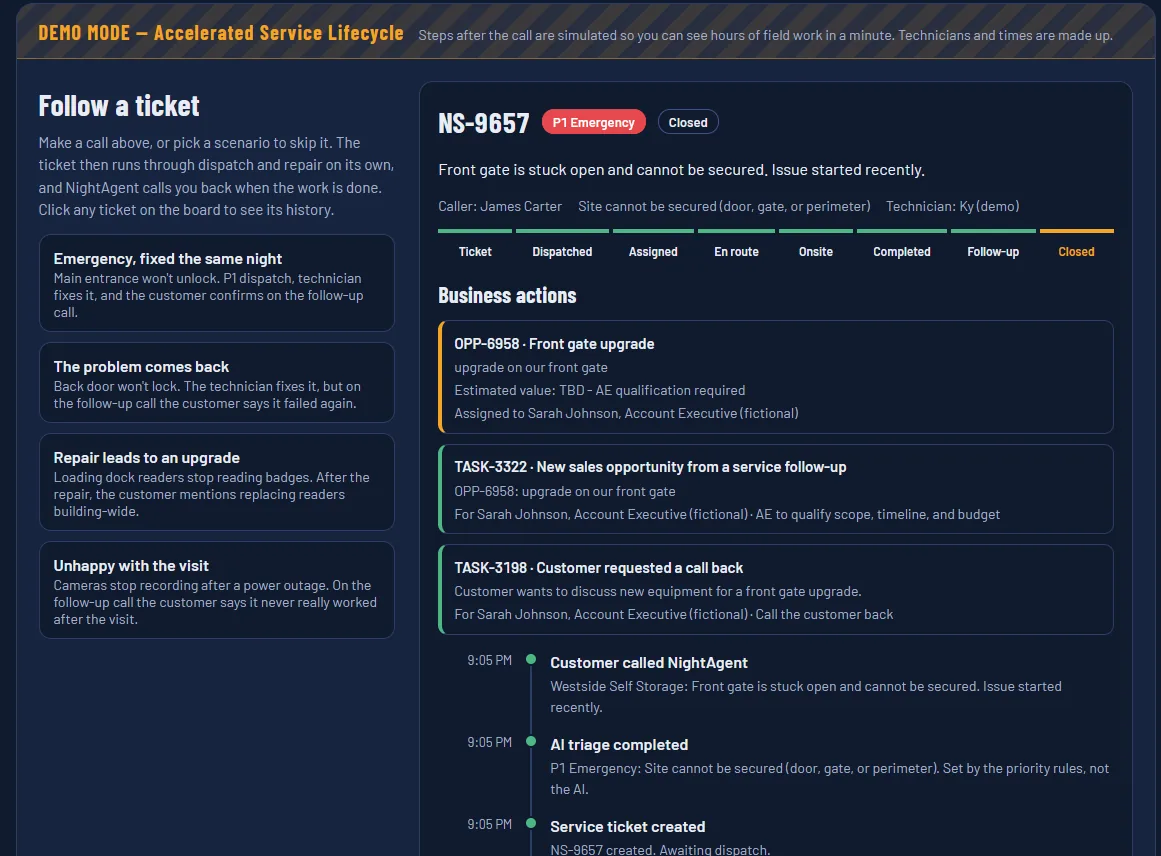
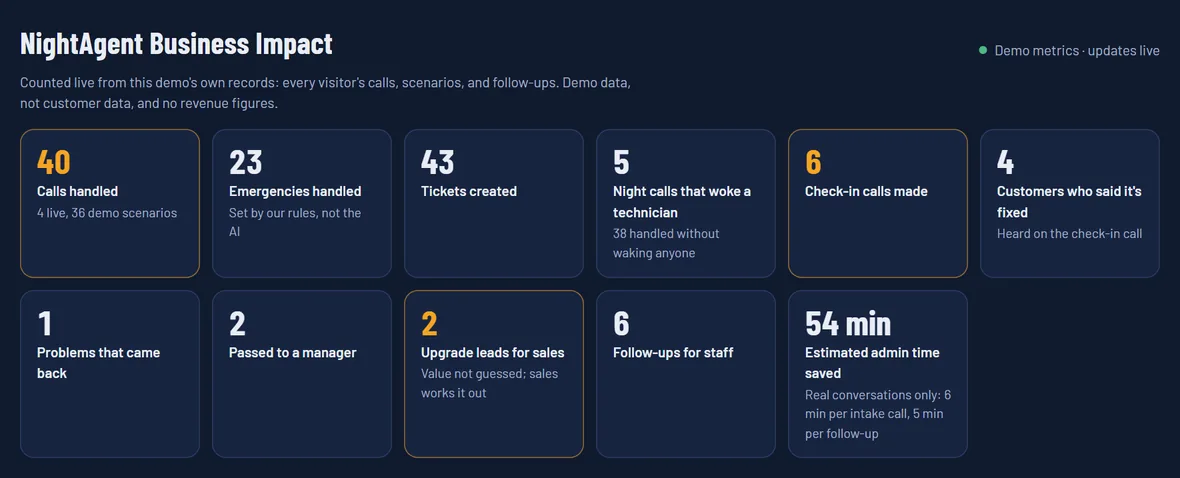
ElevenLabs Agents handles speech and voice in real time. Sam calls tools on a Python FastAPI backend (look up customer, create ticket, page tech, take message), authenticated with a shared secret. The model suggests a priority, but rules in code decide: it can raise priority but never downgrade an emergency, and a ticket lifecycle in code prevents skipped stages. Every step is saved to Supabase, and a live Business Impact panel counts calls, fixes, and leads, with no invented revenue.
The follow-up call is a second ElevenLabs agent. A single-use pass ties it to the ticket, the agent reports what the customer said in one structured tool call, and code decides the outcome:
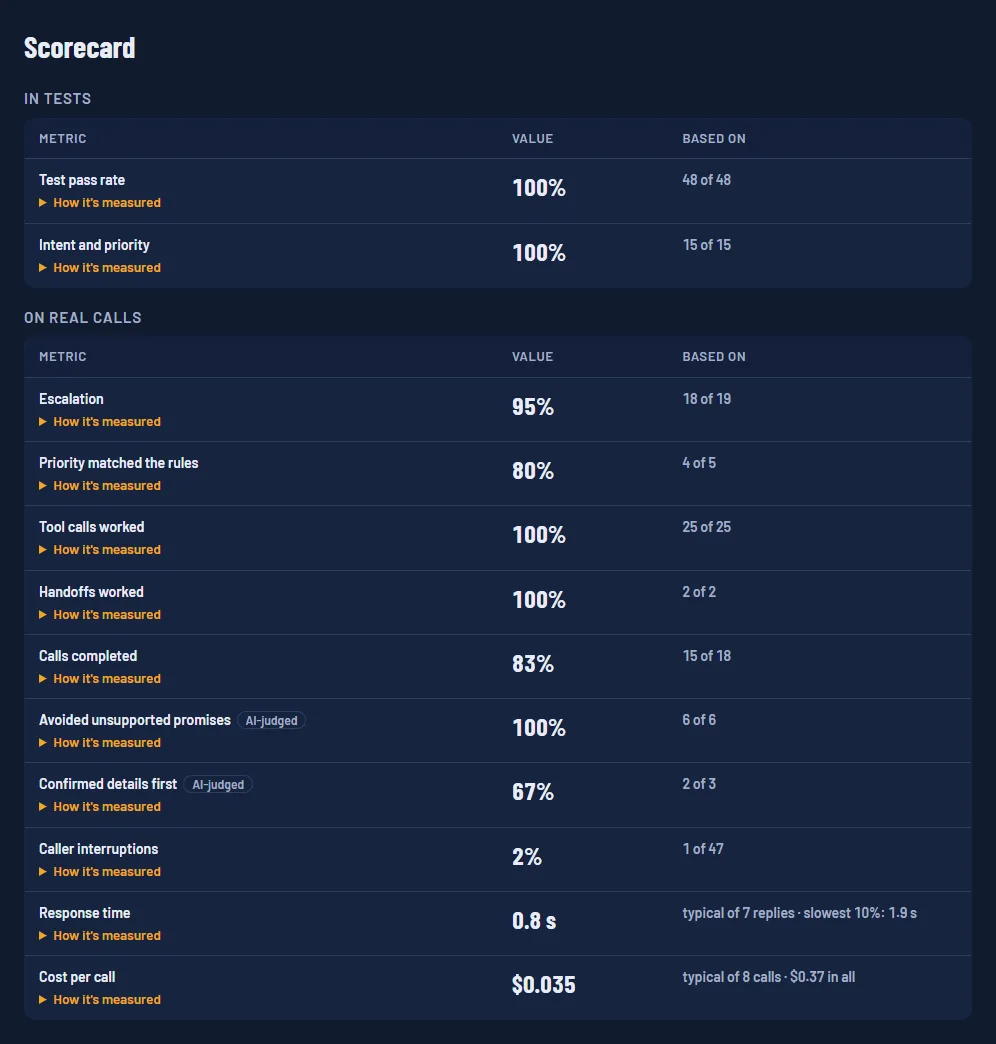
Every call also gets a call check: up to nine checks, mostly computed from the call's records, with two graded by ElevenLabs from the transcript: no unsupported promises, and the caller's details confirmed before acting.
| Problem | After-hours calls need the right urgency. A missed emergency can leave a site unsecured overnight; a false one sends a technician out at night for nothing. |
|---|---|
| Constraint | The AI can't be the final judge of priority, and the demo is open to anyone, so it has to be safe to leave running. |
| Decision | Rules in code set the final priority and decide what happens after each call. Sam suggests a priority; the code can accept a higher one but never lowers an emergency. |
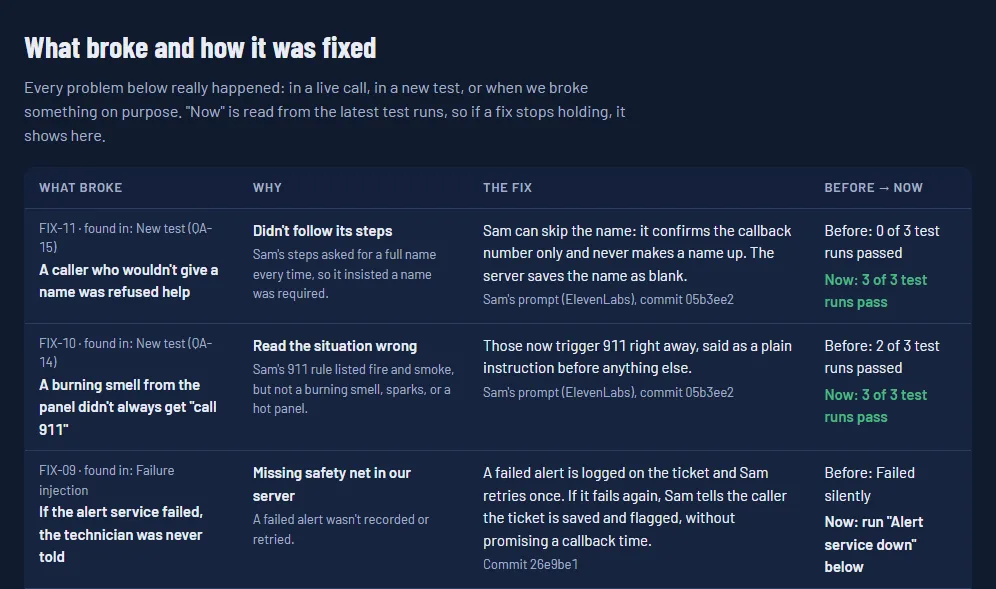
| Hard part | The same problem arrives in different words ("our gate is stuck open", "the gate still sticks"). Some calls sound odd but aren't a problem yet, like a cat staring at the electrical panel; others are worse than they sound, like a burning smell from the alarm panel. |
| What I tried first | Putting the rules only in Sam's instructions. With this model that wasn't reliable: Sam sometimes skipped reading back the caller's name and number. Moving the next step into each tool's answer, so the server tells Sam exactly what to do, fixed it. |
| Evidence | 21 regression tests run 3 times each against the live agents, including five prompt-injection attempts, plus 24 voice tests with real audio in noise and over a phone line. Every fix is re-tested against every test. |
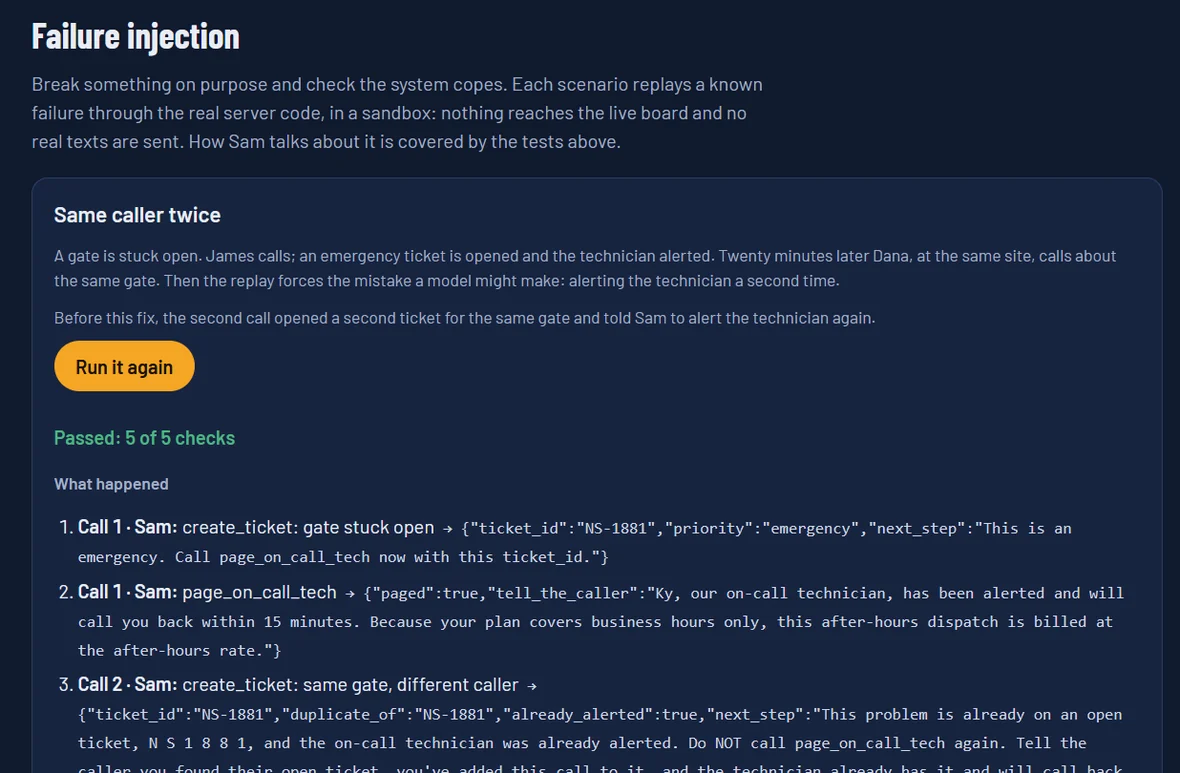
| Limits | Real-call samples are still small, voice tests use recorded voices and a simulated phone line, and dispatch is simulated. |
Live results and the fixes log: Evaluation Lab ↗ · Code: GitHub ↗
| Question | How often do Deepgram and ElevenLabs hear trade terms like Verkada, Wiegand, NVR, and PoE correctly, and does keyterm boosting help? |
|---|---|
| Method | 44 recorded field sentences, each sent to Deepgram nova-3 and ElevenLabs scribe_v2 three times, with and without boosting. The scorer and accepted spellings were frozen before the first run. |
| Result | Boosting raised accuracy from 62.1% to 89.7% (Deepgram) and 79.3% to 95.4% (ElevenLabs), adding 9 to 21 ms. Unboosted, "Wiegand" became "weekend"; boosted, it sometimes wrote terms that weren't said. |
| Limits | One speaker and 44 clips, so the results are directional, not definitive. |
Full results: Scorecard ↗ · One-page readout (PDF) ↗ · Code and method: GitHub ↗
Or ask about an invoice to meet Jordan, ask about adding cameras to meet Riley, or pick a scenario in Demo Mode to skip the first call.

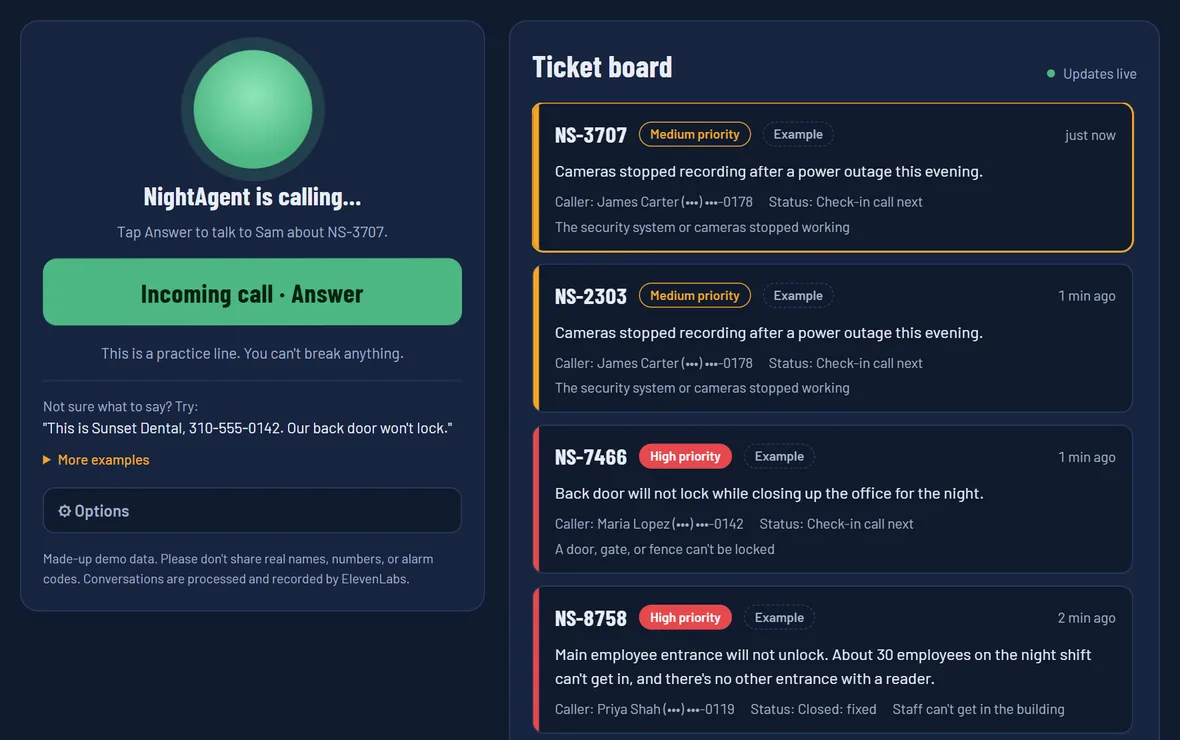
Scan with your phone's camera. Press Start call and talk to Sam, or type instead, then watch the ticket on the dispatch board.
Try NightAgent ↗View the code on GitHub ↗Made-up demo data; please don't share real names, numbers, or alarm codes. Conversations are processed and recorded by ElevenLabs. Later steps and staff are simulated.
A customer calls the after-hours line, Sam takes the call, a high-priority ticket lands on the board, and the call report checks how Sam did.
Many people don't think of themselves as AI users. They don't know what to ask or how much context to give.
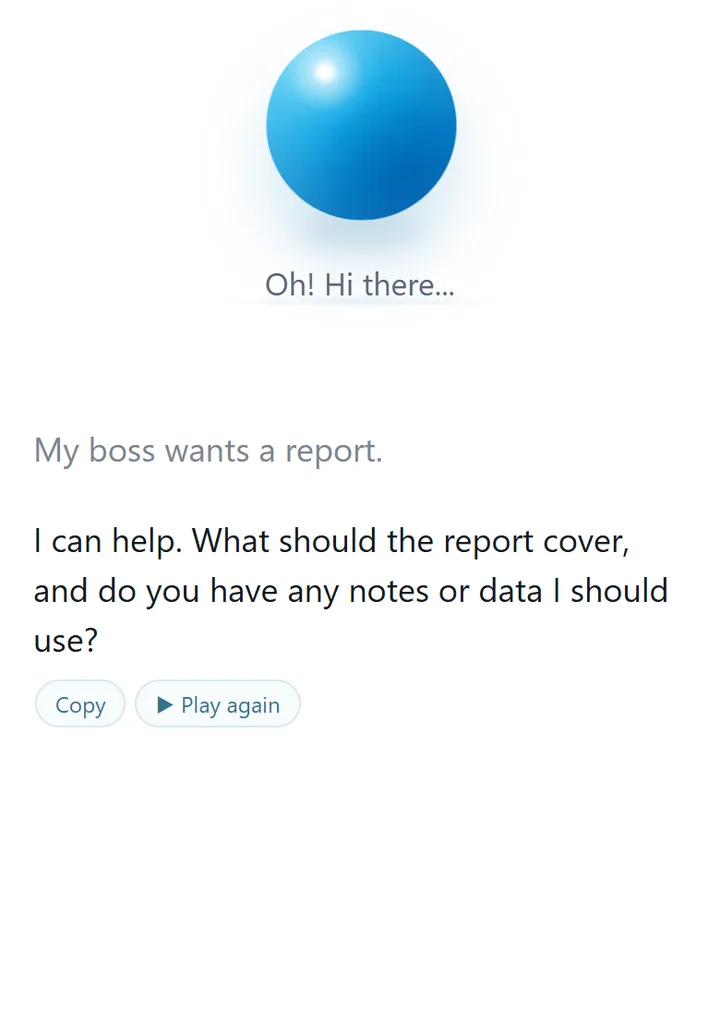
Bluey is a friendly blue orb you talk to in plain language. A clear request gets done right away; a vague one gets one question first. When there's a better way, he finishes the task, then mentions it.
A Vercel serverless function keeps the OpenAI key on the server and calls the Responses API with a strict JSON schema: the reply, a mood for the orb, and a hidden "brain" record (mode, goal, and an initiative level from 0 to 4). Every OpenAI endpoint has input limits and hourly and daily caps.
Memory and optional Google sign-in: Bluey remembers your name and goals with an Undo on every save, never keeps sensitive data, and syncs across devices through Supabase with row-level security. Without sign-in, everything stays on your device.
Brain Lab: 27 test conversations (39 release-gate tests on the beta branch) run through the real chat endpoint, scoring task success, initiative, question discipline, and character. They caught "Make it shorter" dropping every fact from an email; after the fix, revisions kept every fact in 10 of 10 runs.
Designed over a week with ChatGPT: who Bluey is for, when he acts or asks, his personality, and the memory database. Since October 6, 2026, built with Claude Code, with every feature gated on Brain Lab or browser tests, including on a real iPhone.
Alpha in active testing. Chat history stays in your browser; please don't share sensitive information.
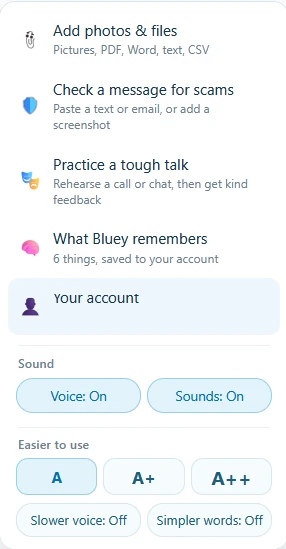
Ask in plain words and Bluey, the big blue ball, answers. Here he explains how to add photos and files, then the blue + menu and Quick tips show what else he can do.
When a computer acts up, people get generic advice written for someone else's computer. A good technician looks at this computer first. PC Medic makes that first look available to anyone.
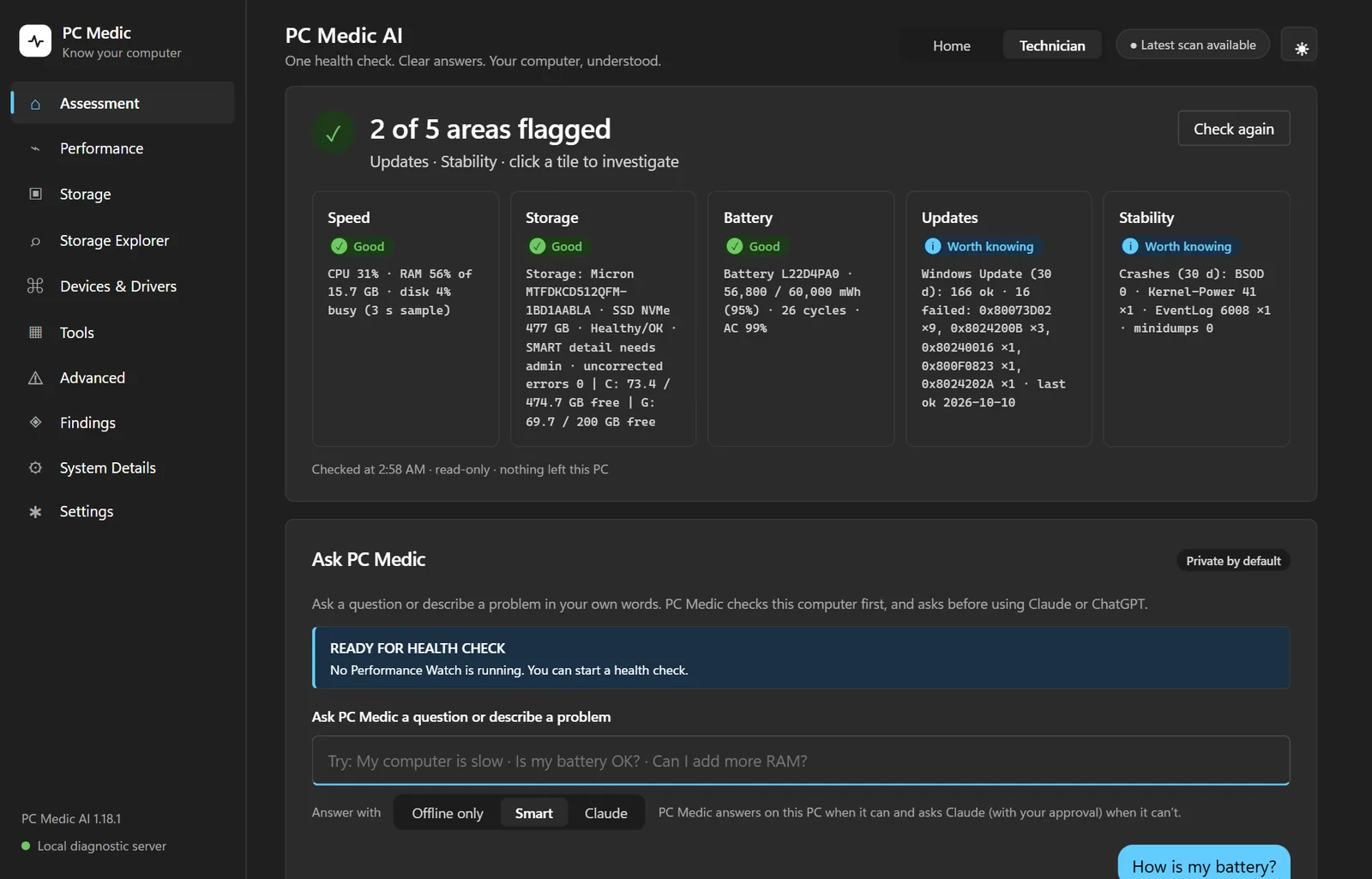
PC Medic installs like any Windows program. A three-second read-only check gives a one-line verdict and five status tiles: speed, storage, battery, updates, and stability.
A local Python server runs read-only PowerShell and performance-counter checks. It answers on the PC when it can; otherwise Claude (with read-only tools and cited web search) or ChatGPT helps, only after the user approves, with serial numbers, names, and addresses stripped first. Every answer says who answered it.
It's secured like any local web server: bound to 127.0.0.1, DNS-rebinding and CSRF protection, per-account access on shared PCs, and API keys in Windows Credential Manager. A per-user installer (PyInstaller and Inno Setup) needs no admin rights and updates from GitHub Releases.
Built with ChatGPT through version 1.16, then with Claude Code from October 10, 2026, which added investigations, guided troubleshooting, Deep checks, the redesign, and the installer. Over 200 automated tests mock every AI call, and install and upgrade were tested on real hardware. Not done yet: code signing and testing on more computers.
The deep scan needed administrator rights without running the whole app as administrator. PC Medic starts a second copy of itself through the Windows UAC prompt that runs only fixed read-only steps, writes only its own result file, and exits. A real-machine check also caught another AI's mistake: it had said my Lenovo laptop's RAM was soldered, and PC Medic correctly read removable SO-DIMM modules.
For Windows 10 and 11 laptops and desktops. The installer isn't code-signed yet, so Windows may show "Windows protected your PC": choose More info, then Run anyway. Works offline; AI answers need your own Anthropic or OpenAI key.
A health overview, a question answered with Claude, the Tools and System Details pages, the Technician pages for performance, storage, devices, and deep checks, then a technician report.
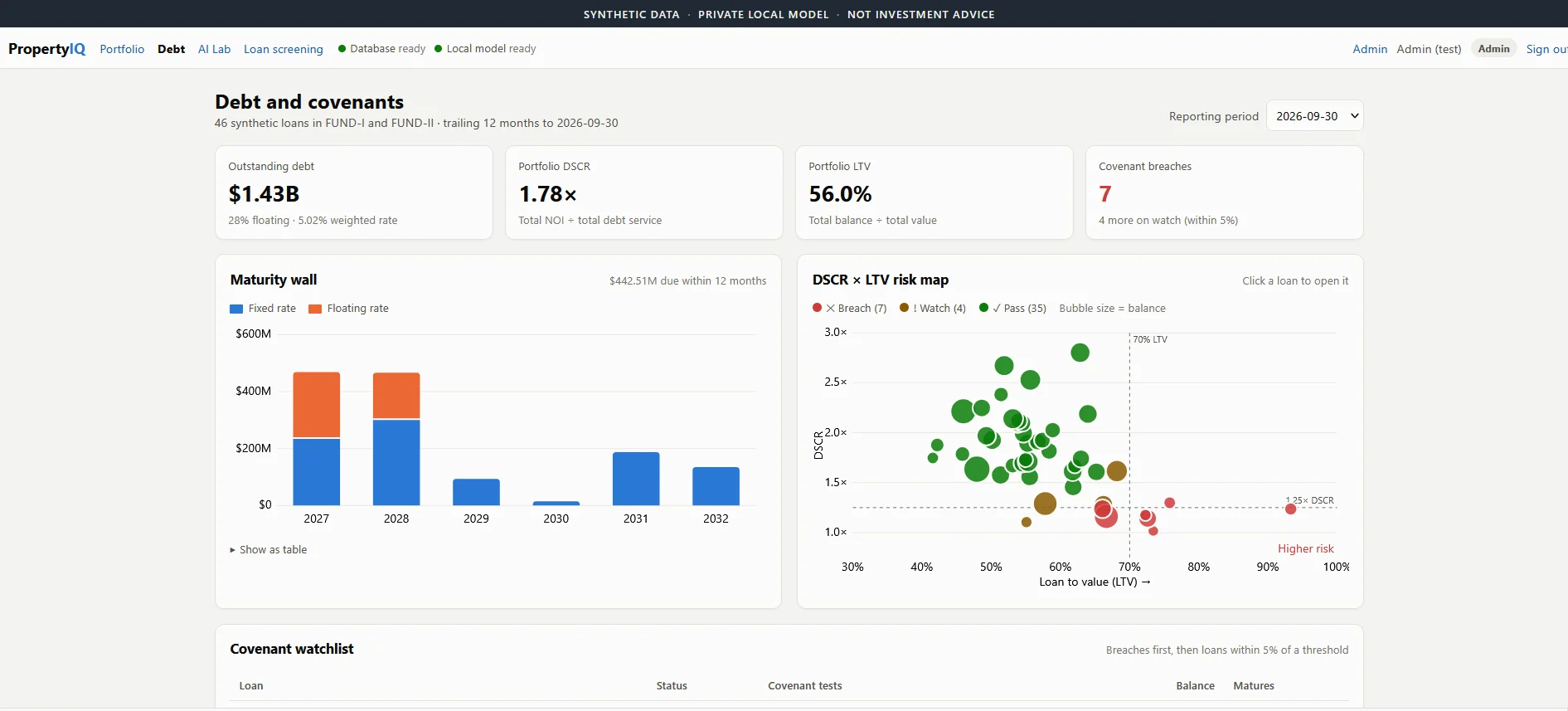
Lending teams want AI answers, but their data can't go to a hosted model, and language models are unreliable at math. PropertyIQ runs the model next to the data, and the model explains results but never calculates them.
An analyst sees 55 synthetic properties across office, retail, industrial, and multifamily. Rule checks flag 4 as underperforming: occupancy below 85%, NOI down 10% or more year over year, or NOI at or below 90% of budget. Ask "Why was Westlake flagged?" and the answer links to its inputs, formulas, and record IDs.
It has grown into a lending workbench:
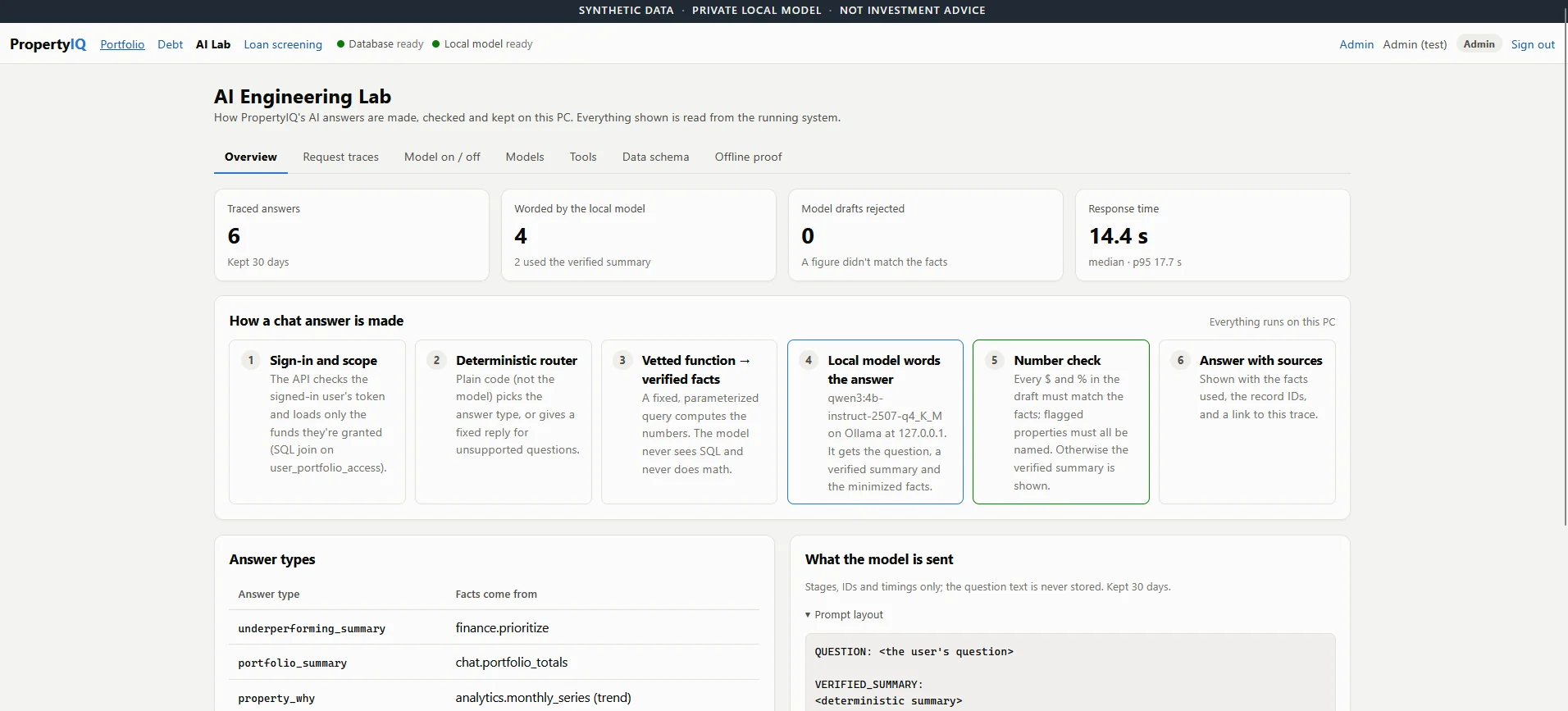
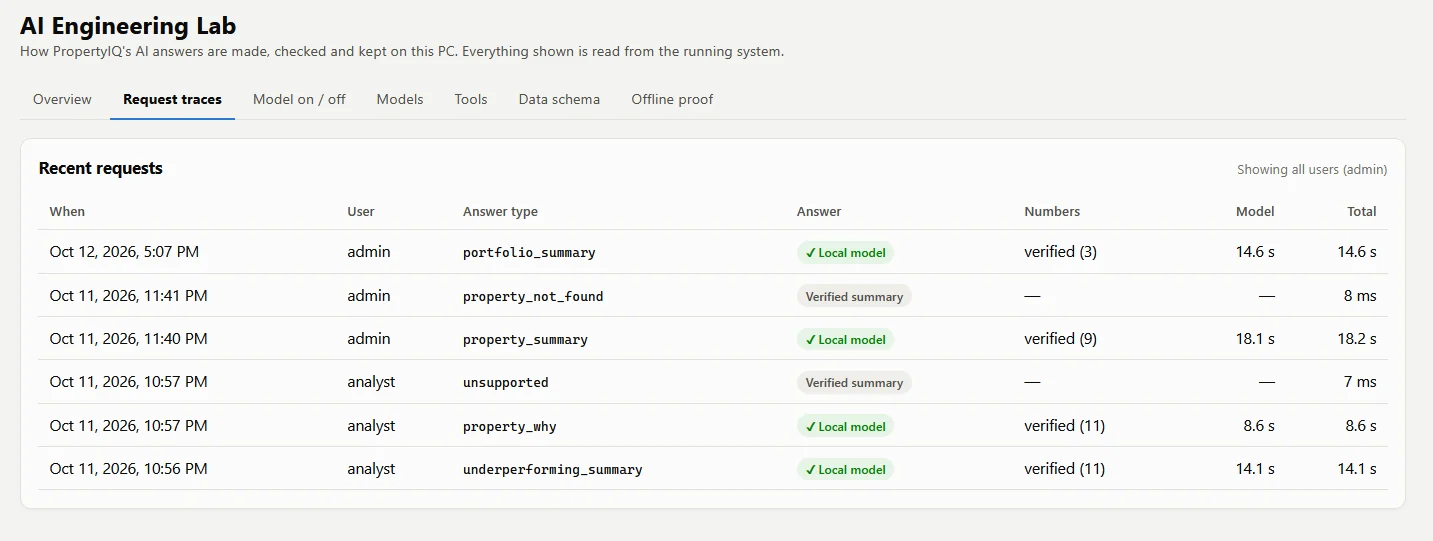
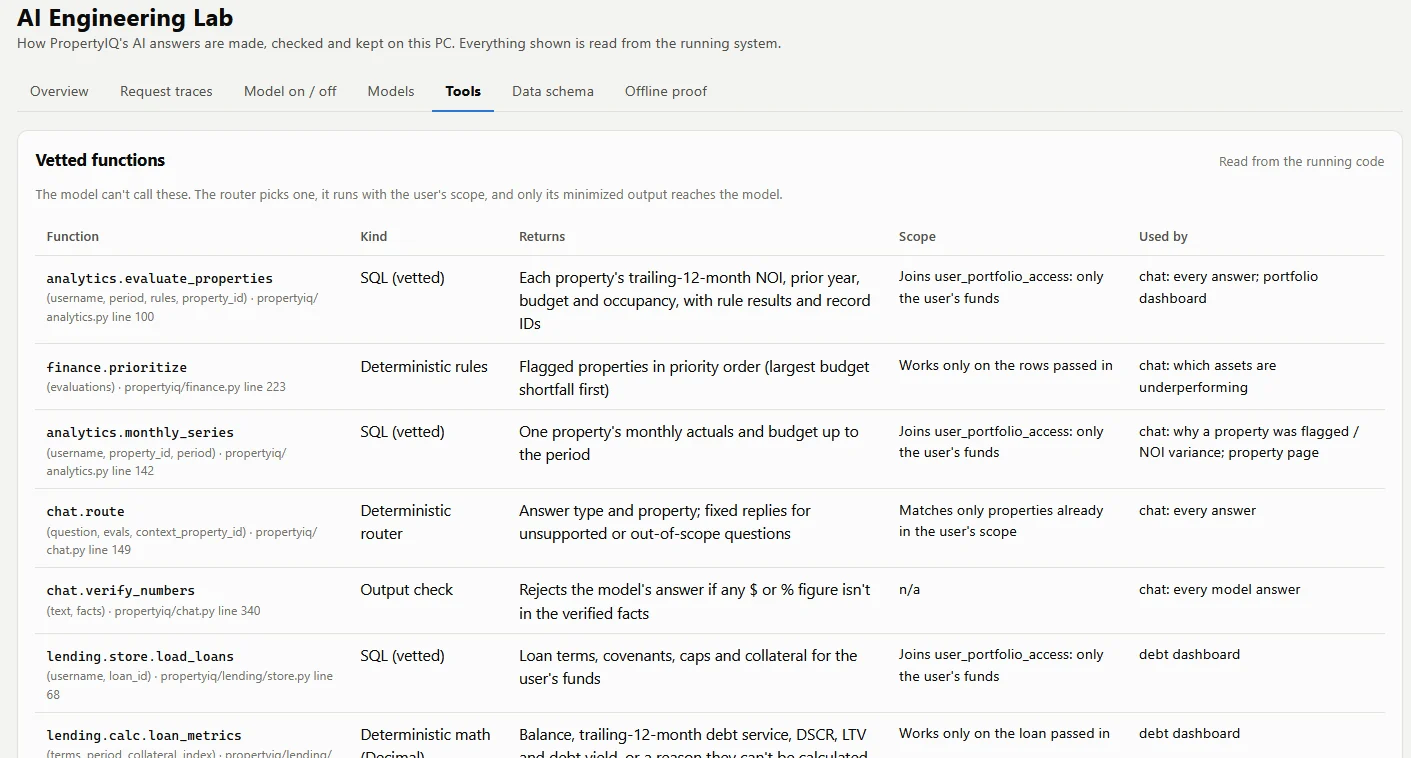
Application code calculates NOI, trailing-12-month totals, variance, and occupancy from PostgreSQL. A code router picks a fixed, access-scoped query, and only verified facts reach a local Qwen3 model on Ollama. Every number it writes is checked; on a mismatch, a summary built in code is shown instead.
Following one question: the analyst asks "Summarize our underperforming assets." The API queries only the data that analyst may see, code computes the figures and rule results, the model writes the summary from those facts alone, and the interface shows it next to the formulas and source records.
Four roles with fund-scoped access enforced in SQL; a hidden loan returns the same "not found" as one that doesn't exist. It's a prototype on synthetic data; production hardening is still to do.
I built PropertyIQ with Claude Code on one Windows 11 laptop: Next.js 16 and React 19 for the interface, a FastAPI (Python) API, PostgreSQL 17 in Docker, and a 4-billion-parameter Qwen3 model served by Ollama. Documents are read with RapidOCR and pdfplumber, and exports use ReportLab and openpyxl, all on the same machine.
One rule shaped every module: code does the arithmetic and makes the decisions, and the model only explains. The loan tools use no AI for any number, each Excel export is recalculated in OpenOffice during testing and must match the app, and traces never store the question or answer text.
The real app runs locally, so a browser simulator recreates its main screens with synthetic data.
Launch simulator demo ↗Synthetic data only, no sign-in. It runs in your browser and nothing is saved or sent. The chat is scripted; in the real app, answers come from a local model.
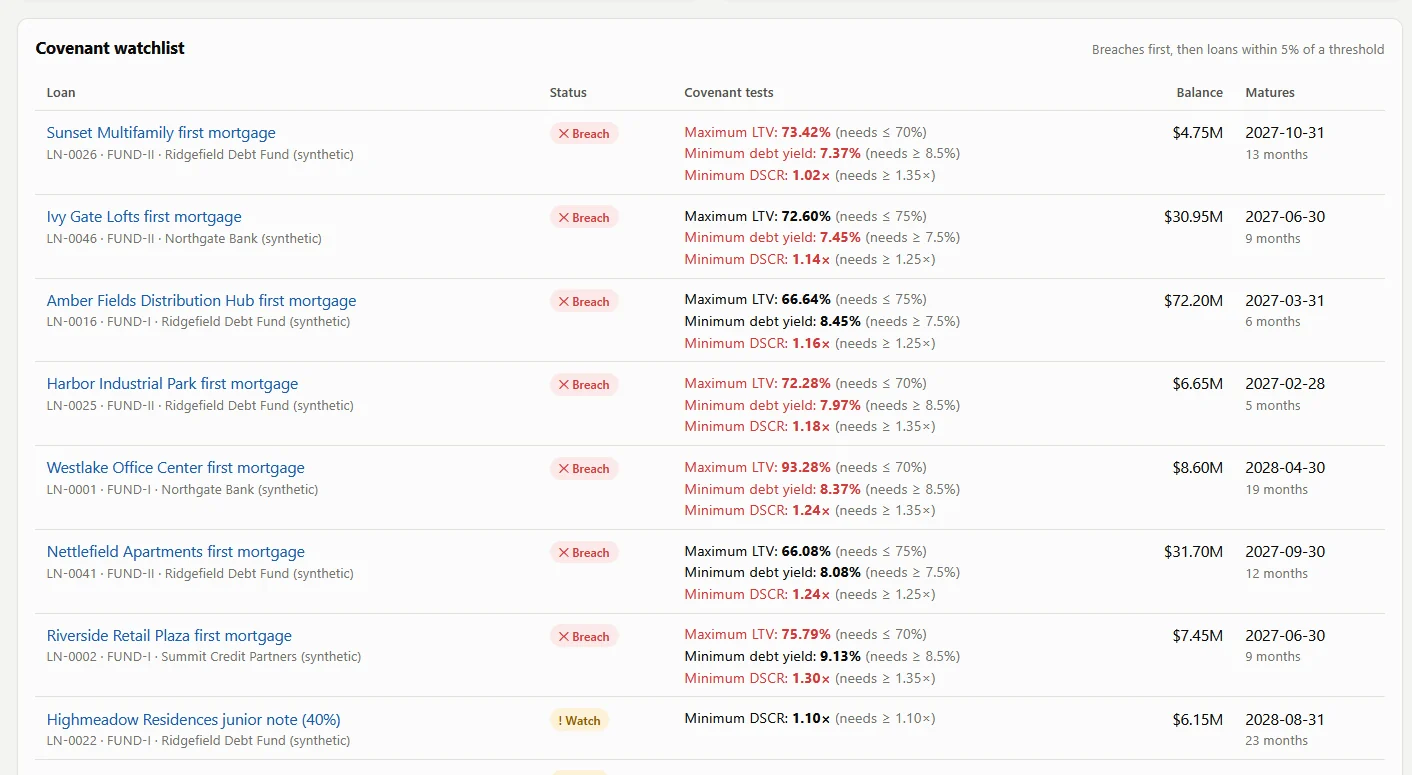
An admin signs in, then visits the portfolio overview, the debt and covenant dashboard, every AI Engineering Lab tab, and the security page, where the internet lockdown is turned on for PropertyIQ and then for the whole computer.
Welding students and field users often move between calculators, formulas, notes, procedure information, and practice material. WeldMate brings those activities into one focused mobile experience.
Calculators (heat input, fillet, V-groove, carbon equivalent), an eight-section learning path, quizzes, weld-symbol and inspection practice, and WPS practice cards, saved in the browser.
Built with Google Gemini as a single mobile-first tool.
A short loop through eight WeldMate screens.
Make an accessible browser game where the player can see the consequences of each choice as enemy waves grow stronger.
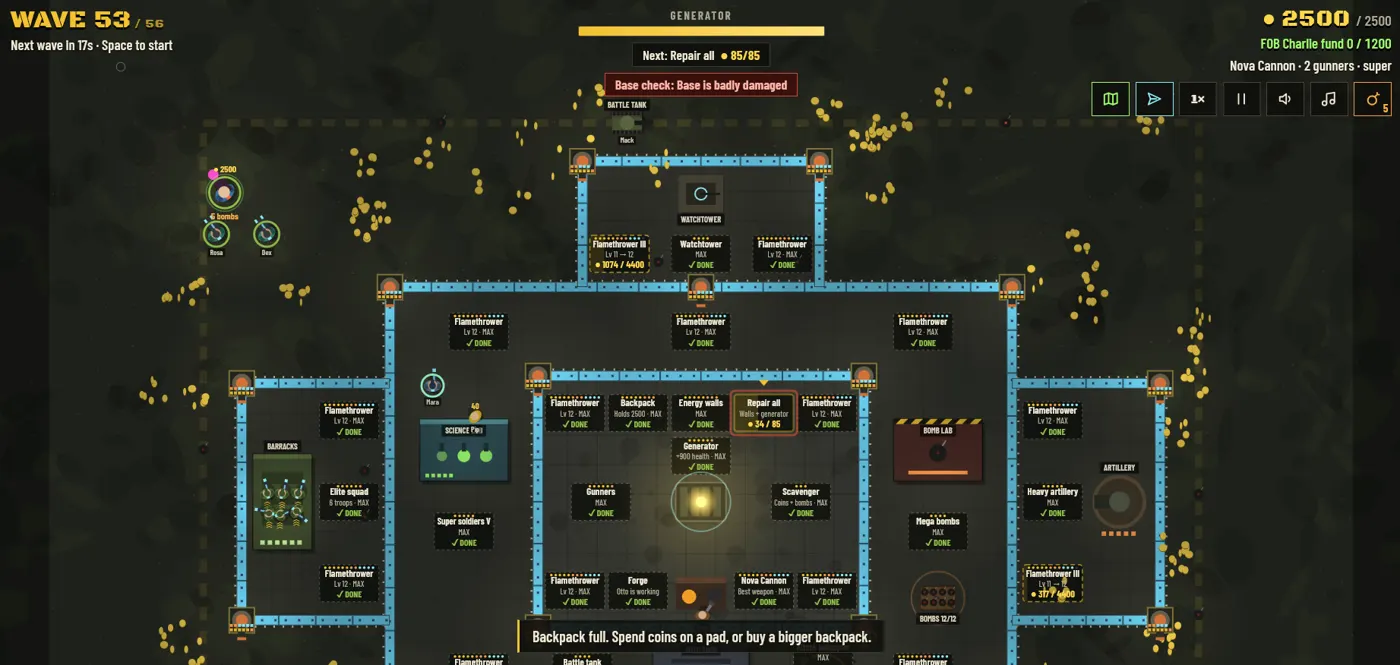
Defend the last working generator for miles through escalating zombie waves. An active prototype I keep refining through play.
The whole game is one HTML file of plain JavaScript, with no engine or build step. Progress saves in the browser and syncs to Supabase in its own game schema. Instead of passwords, each device gets a random ID and secret, and a temporary transfer code moves progress to another device. A service worker makes it installable and playable offline, with keyboard, mouse, and touch controls.
Zombies swarm the walls while coins pile up, survivors and soldiers fight beside the player, the patrol tank circles the base, and the Viper-1 helicopter flies over the mountains, shooting down missiles, yellow hive bats, and tanks.
Engineering case study · Ask Ky
Anyone can type into Ask Ky, so every message is untrusted input. Here are the controls, and their limits.
The Claude API key is read only inside the serverless function. Visitors never see error details.
Questions are capped at 500 characters, history at 4 turns, and job descriptions at 8,000. Replies are capped at 600 tokens.
Only retrieved knowledge-base sections reach the model. Citations to anything else are dropped, and answers render as plain text.
Visitor text only enters as a user message, and the prompt holds no secrets, so a leak reveals rules, not data.
A red-team script attacks the live endpoint with overrides, prompt extraction, jailbreaks, and injected job descriptions. In a 9-case run (September 30, 2026), every attack was declined.
Names from my executive protection work are generalized, and my contact details are never given to the model.
20+ years across IT, networking, software, and electronic security. As a solutions engineer, I turn complex customer requirements into designs, estimates, demos, integrations, and deployment plans.
Now I pair that with product thinking and AI-assisted development. I'm looking for roles that bridge customers, sales, engineering, and technology.
Solutions engineering, security technology, and useful software are where I do my best work.